Get Started

Changelog

  1. New

    See which AI bots read your site

    A two-minute tracking snippet shows every visit from ChatGPT, Claude, Perplexity and other AI crawlers — split by why they came.
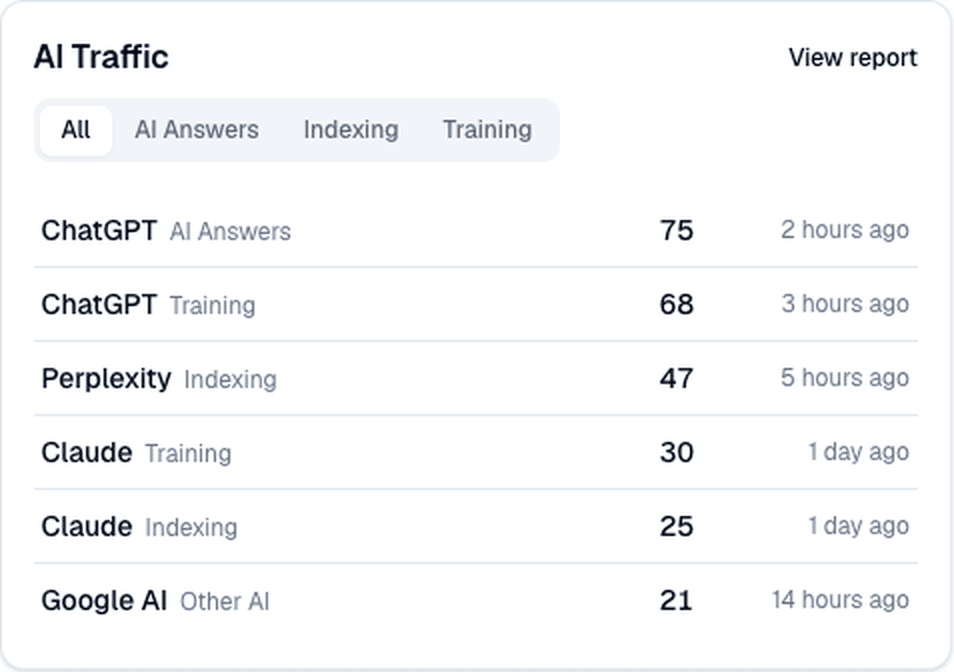
    The AI Traffic card on the site dashboard: tabs for All, AI Answers, Indexing and Training, and rows showing ChatGPT (AI Answers, 75 visits), ChatGPT (Training, 68), Perplexity (Indexing, 47), Claude (Training, 30), Claude (Indexing, 25) and Google AI (Other AI, 21), each with a last-seen time and a View report link.
    The AI Traffic card on the site dashboard.

    AI assistants can only recommend what they have read. Until now QuickSEO could show you where you are mentioned and cited, but not whether the bots behind those answers ever visit your site at all.

    Install the tracking snippet and QuickSEO records every visit from a known AI crawler, sorted by intent: AI Answers — an assistant fetching your page to answer someone’s question right now; Indexing — search and answer-engine crawlers building their indexes; and Training — crawlers gathering model training data.

    Your dashboard gets an AI Traffic card, and the full AI Traffic report shows the trend over time, every crawler, and the pages they read most. Click any crawler to see its visit history and the pages it reads.

    • Works with any stack — a Next.js or Express middleware, a PHP snippet, or a plain HTTP request from any backend. Your tracking id lives in Settings → AI Traffic Tracking, and the setup guide is at /docs/ai-traffic.
    • Bots are named by the product they serve — ChatGPT rather than GPTBot — with the technical user agent a hover away.
    • Recognizes around 50 known AI crawler user agents. Regular visitor traffic is never recorded.
    • Recording and the reports are both part of the Pro and Business plans.
    • Visits are kept for 12 months, and the tracking id can be rotated at any time.
  2. New

    Tracking results now come to your inbox

    A short email recap of where your site stands in AI answers — once when your first scan finishes, then every Monday.

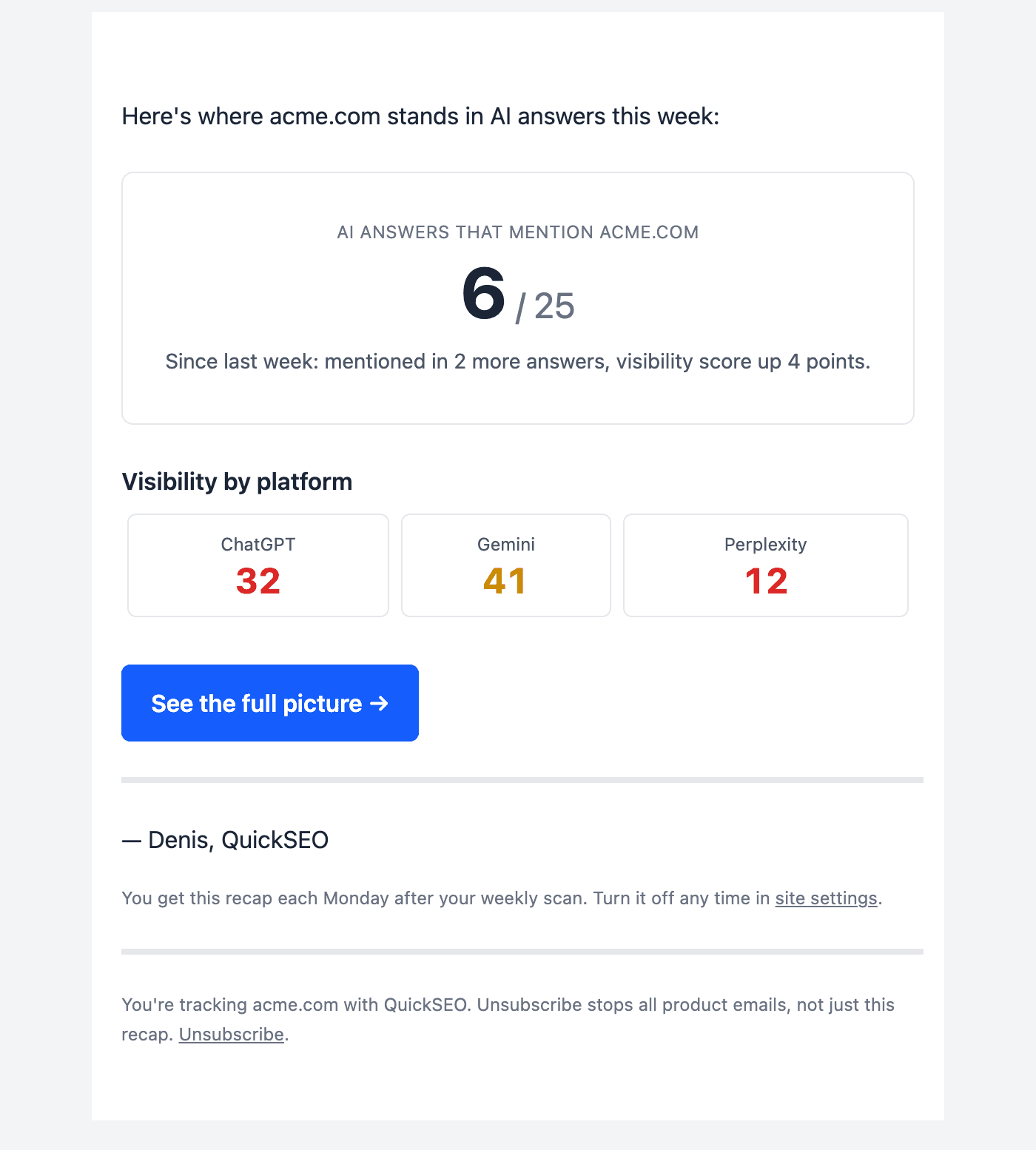
    The weekly QuickSEO results email: a headline count of 6 out of 25 AI answers mentioning acme.com, a line reading “Since last week: mentioned in 2 more answers, visibility score up 4 points”, per-platform scores for ChatGPT, Gemini and Perplexity, and a “See the full picture” button.
    The Monday recap, as it arrives.

    Until now, knowing whether ChatGPT, Claude, Gemini or Perplexity had started mentioning you meant opening the dashboard and going looking. Most weeks nothing dramatic changes, so most weeks that trip was wasted — and the week something did move, nobody was watching.

    So the numbers now come to you. The moment your first full scan finishes, you get an email with the result. After that, a recap lands each Monday once the weekly scan has run: how many AI answers mention you out of the total checked, how that changed since last week, and your score on each platform you track.

    The email is deliberately short. It carries the one headline number, the per-platform breakdown, and a link into the dashboard for everything else.

    • Sent per site, to the account that owns it.
    • The weekly recap waits for that week’s scan to finish — if a scan did not complete, no email goes out rather than a repeat of last week’s numbers.
    • Counts are AI answers, not prompts: every prompt is asked on each platform you track, so 25 prompts across 3 platforms is 75 answers checked.
    • Turn it off per site under Settings → Weekly Results Email, or unsubscribe from all product email with the link in the footer.

Track your own AI visibility

See which AI answers mention you, what Google sends you, and what to publish next — in one dashboard.

See plans