Free Alt Text Checker
Enter any URL to scan all images for missing, duplicate, generic, and overly long alt text. Get an overall score, detailed per-image analysis, and actionable recommendations to improve your image SEO and accessibility.
Check Alt Text
QuickSEO shows clicks, impressions, keywords and pages for every website you manage, compared with the period before.
- Unlimited websites on the free plan
- No credit card needed
Why Alt Text Matters for SEO
Alt text (alternative text) is the written description assigned to an image via the alt attribute. It serves two critical purposes: helping visually impaired users understand image content through screen readers, and helping search engines index and rank your images. Google Images is the second-largest search engine in the world, and descriptive alt text is the primary signal it uses to understand what an image shows.
Beyond image search, alt text reinforces the topical relevance of the surrounding content. Pages with well-optimized alt text tend to rank better in standard web search because they provide additional context signals. Alt text also serves as fallback content when images fail to load, improving the user experience on slow connections.
Alt Text Best Practices
- Be specific and descriptive:Write alt text that accurately describes what the image shows. "Golden retriever puppy playing fetch in a park" is far better than "dog" or "image".
- Keep it under 125 characters: Most screen readers truncate alt text around 125 characters. Be concise but descriptive.
- Avoid keyword stuffing: Include relevant keywords naturally, but do not stuff alt text with SEO keywords. Write for humans first, search engines second.
- Use empty alt for decorative images: Purely decorative images (borders, spacers, background flourishes) should use
alt=""so screen readers skip them entirely. - Make each alt text unique: Avoid using the same alt text on multiple images. Each image should have a description specific to its content.
- Never use filenames as alt text:Descriptions like "IMG_4523.jpg" or "hero-banner.png" provide no useful information. Always write human-readable descriptions.
- Do not start with "image of" or "picture of": Screen readers already announce the element as an image. Starting with "image of" creates redundancy like "image, image of a cat".
Common Alt Text Mistakes
Missing Alt Attribute
The most serious issue. When an image has no alt attribute at all, search engines cannot understand the image, screen readers announce the filename (often meaningless), and the HTML is invalid per accessibility standards (WCAG 2.1).
Generic Alt Text
Vague descriptions like "image", "photo", "screenshot", or filename patterns like "DSC_0042.jpg" provide no useful information. These are often the result of CMS defaults or lazy content entry. Replace them with specific descriptions of what the image actually shows.
Duplicate Alt Text
When multiple images share the same alt text, search engines treat them as interchangeable and screen reader users hear repetitive content. This commonly happens with product galleries where every image uses the product name. Add differentiating details like angle, color, or context.
Overly Long Alt Text
Alt text over 125 characters may be truncated by screen readers, causing users to miss important information. Long alt text can also look like keyword stuffing to search engines. Keep descriptions focused and concise.
How to Use This Tool
- Enter a URL — Type or paste any web page address. The tool automatically adds https:// if missing.
- Click "Check Alt Text" — The tool fetches the page HTML and extracts all
<img>tags. - Review the score — See your overall alt text quality score from 0 to 100, with color coding for quick assessment.
- Check summary cards — See counts for missing, empty, duplicate, generic, and too-long alt text at a glance.
- Review duplicate groups — See which alt text values are repeated and on which images, so you can make each one unique.
- Fix issues per image — Browse the full image list with status badges and specific issue descriptions for each image.
Frequently Asked Questions
Why is alt text important for SEO?
Alt text helps search engines understand what an image depicts, which influences image search rankings and provides context for the surrounding content. Google Images is the second-largest search engine, and descriptive alt text is the primary signal it uses to index and rank images. Pages with well-optimized alt text also tend to rank better in standard web search because alt text reinforces topical relevance.
What is the difference between missing alt and empty alt?
A missing alt attribute means the img tag has no alt attribute at all, which is an HTML validation error and an accessibility failure. An empty alt (alt="") is intentionally set to indicate the image is purely decorative and should be ignored by screen readers. Empty alt is valid for decorative images like spacers or background flourishes, but content images should always have descriptive alt text.
How long should alt text be?
Alt text should be concise and descriptive, ideally under 125 characters. Most screen readers cut off alt text at around 125 characters, so keeping it under that threshold ensures the full description is announced. Focus on accurately describing the image content and context rather than stuffing keywords.
Why is duplicate alt text a problem?
Duplicate alt text means multiple images on the same page share identical descriptions. This signals to search engines that the images are interchangeable, reducing the ranking potential of each individual image. It also creates a poor experience for screen reader users who hear the same description repeated. Each image should have unique alt text that describes its specific content.
What counts as generic alt text?
Generic alt text includes vague terms like "image", "photo", "picture", "screenshot", "untitled", or text that looks like a filename such as "IMG_001.jpg" or "hero-banner.png". These descriptions provide no useful information to search engines or screen readers. Replace them with specific descriptions of what the image actually shows.
QuickSEO shows clicks, impressions, keywords and pages for every website you manage, compared with the period before.
- Unlimited websites on the free plan
- No credit card needed
From the blog
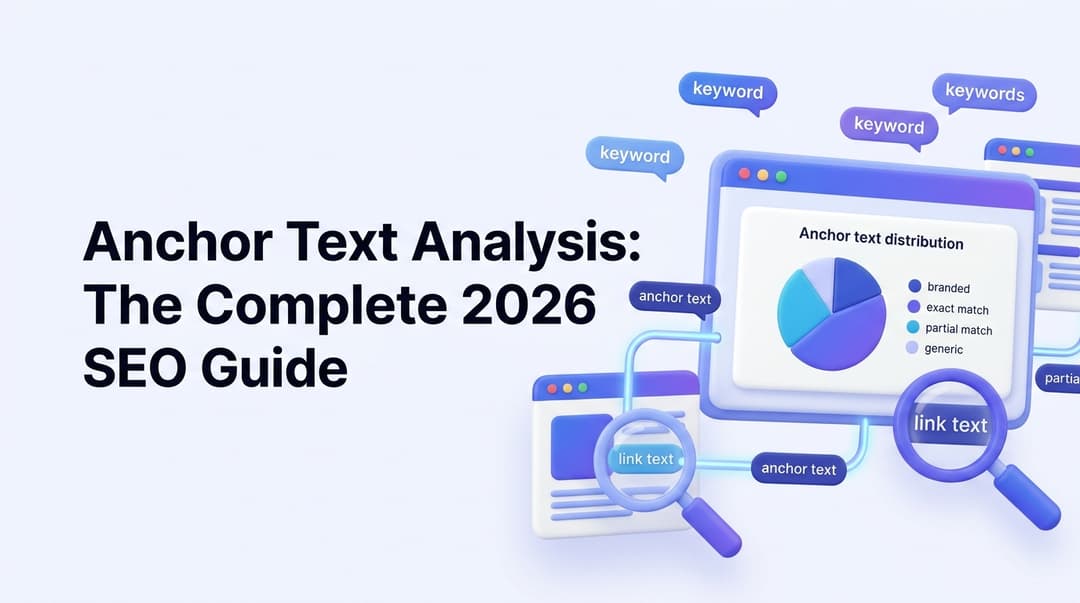
Anchor Text Analysis: The Complete 2026 SEO Guide
Master anchor text analysis in 2026. Learn the 7 anchor types, safe distribution ratios, internal vs external strategy, audit steps, and how to avoid penalties.

Content Gap Analysis: The Complete 2026 Guide to Finding & Filling Your Biggest SEO Opportunities
Learn how to run a content gap analysis in 2026 — from keyword gaps to AI visibility gaps — and turn competitor rankings into organic traffic wins.