Free Keyword Cannibalization Checker
Paste your URL-keyword pairs to identify pages that compete for the same keywords. Get severity ratings, conflict explanations, and actionable recommendations to fix cannibalization issues.
Check for Keyword Cannibalization
0 pairs entered (min 2, max 50). Format: URL, keyword or URL | keyword
QuickSEO shows clicks, impressions, keywords and pages for every website you manage, compared with the period before.
- Unlimited websites on the free plan
- No credit card needed
What Is Keyword Cannibalization?
Keyword cannibalization happens when two or more pages on your website target the same (or very similar) keywords. Instead of one strong page ranking well, your pages compete against each other in search results. This dilutes your ranking signals — backlinks, internal links, and click-through rates get split across multiple pages instead of consolidated on one authoritative URL.
The result is often lower rankings for all competing pages, unstable SERP positions, and wasted crawl budget. Google may also struggle to determine which page is most relevant, sometimes showing the wrong one to searchers.
How to Use This Tool
- Gather your URL-keyword pairs — list each page on your site along with the primary keyword it targets. You can export this from Google Search Console, your SEO tool, or your content mapping spreadsheet.
- Enter your pairs — paste them one per line in the format
URL, keywordorURL | keyword. - Click "Check Cannibalization" — the tool automatically analyzes your pairs for exact matches, near-matches, and keyword overlaps.
- Review conflicts — expand each conflict to see affected URLs, explanations, and specific fix recommendations.
Common Signs of Keyword Cannibalization
Watch for these red flags in your search performance:
- Fluctuating rankings: Your page alternates between positions for the same keyword, or different pages show up on different days
- Wrong page ranking: A blog post ranks instead of your product page (or vice versa) for a target keyword
- Declining CTR: Click-through rate drops because impressions are split across multiple pages
- Stagnant rankings: Despite strong content, your pages plateau at lower positions instead of climbing
- Duplicate title tags: Multiple pages share the same or very similar title tags and H1 headings
How to Fix Keyword Cannibalization
1. Consolidate Content
Merge competing pages into a single, comprehensive resource. Combine the best content from each page, then 301 redirect the removed pages to the consolidated one. This focuses all ranking signals on one URL.
2. Add Canonical Tags
If you need to keep both pages (e.g., a product page and a category page), use canonical tags to tell search engines which version is the primary one. This prevents duplicate content issues while maintaining both URLs.
3. Differentiate Search Intent
Re-optimize each page for a different angle of the same topic. For example, turn one page into a "how-to guide" and the other into a "comparison review." This way each page targets a unique search intent without overlapping.
4. Use 301 Redirects
When one page clearly outperforms the other, redirect the weaker page to the stronger one. This transfers all link equity and ranking signals to your preferred URL.
5. Apply Noindex Tags
For pages that need to exist for user experience but shouldn't compete in search (like filtered category pages), add a noindex tag to remove them from the index while keeping them accessible to visitors.
Frequently Asked Questions
What is keyword cannibalization?
Keyword cannibalization occurs when multiple pages on the same website target the same or very similar keywords. This causes them to compete against each other in search results, diluting ranking signals and confusing search engines about which page to show.
How does keyword cannibalization hurt SEO?
It splits backlinks, internal links, and click-through rates across multiple pages instead of consolidating them on one authoritative page. Google may rank the wrong page or cycle between pages, leading to unstable rankings and lower overall performance.
How do I fix keyword cannibalization?
Common fixes include: consolidating duplicate content into one authoritative page, adding canonical tags to tell search engines which page to prioritize, differentiating content angles so each page targets a unique intent, using 301 redirects to merge competing pages, or noindexing less important pages.
How many URL-keyword pairs can I check?
You can check up to 50 URL-keyword pairs per analysis. Enter at least 2 pairs to identify potential cannibalization conflicts. For best results, include all pages that target similar topics on your site.
Can this tool detect near-match cannibalization?
Yes. Beyond exact keyword matches, the tool uses word-overlap analysis to identify similar keywords and overlapping search intent. For example, it can detect that "best running shoes" and "running shoe reviews" are cannibalizing each other even though the exact phrases differ.
QuickSEO shows clicks, impressions, keywords and pages for every website you manage, compared with the period before.
- Unlimited websites on the free plan
- No credit card needed
From the blog
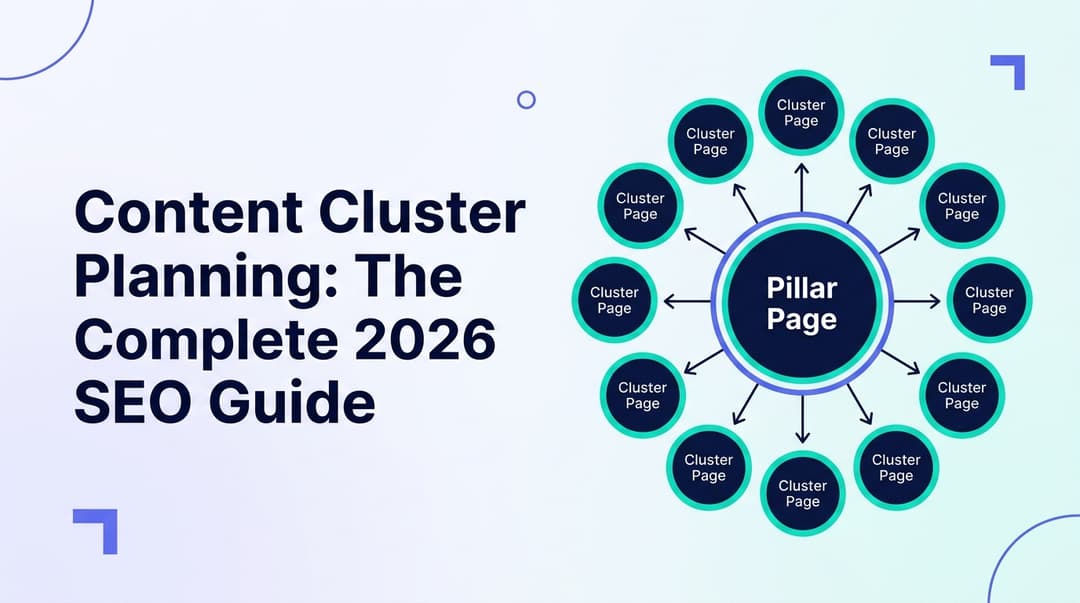
Content Cluster Planning: The Complete 2026 SEO Guide
Learn how to plan content clusters in 2026 to build topical authority, rank higher on Google, and get cited by ChatGPT, Gemini, and Perplexity.

Ranking Opportunity Finder: How to Discover and Win Your Best SEO Keywords in 2026
Learn how to use a ranking opportunity finder to uncover near-win keywords, close competitor gaps, and win AI search citations — and grow organic traffic fast in 2026.
Related Tools
Group keywords by shared terms, intent, or funnel stage — pick the right page for each query before cannibalization happens again.
Keyword Density CheckerAnalyze keyword density and word frequency on any web page.
Canonical Tag GeneratorGenerate proper canonical tags to prevent duplicate content issues.