Free Orphan Category Page Finder
Identify category and taxonomy pages on your site that have few or zero internal links pointing to them. Enter your homepage or sitemap URL to discover orphan-risk category pages that search engines may struggle to find and index.
Find Orphan Category Pages
QuickSEO shows clicks, impressions, keywords and pages for every website you manage, compared with the period before.
- Unlimited websites on the free plan
- No credit card needed
Why Orphan Category Pages Hurt SEO
Category pages are the backbone of your site architecture. They organize content into topical clusters, distribute link equity to child pages, and often target high-value head terms. When a category page has no internal links pointing to it, search engine crawlers have no way to discover it through normal crawling. Even if the page exists in your XML sitemap, the lack of internal links signals to search engines that the page is not important.
Orphan category pages create a broken hierarchy. The child pages under that category lose the topical authority that a well-linked parent page provides. This cascading effect can hurt rankings for an entire section of your site, not just the orphan page itself.
How This Tool Works
- Sitemap discovery: Automatically finds your XML sitemap at common locations (/sitemap.xml, /sitemap_index.xml, /wp-sitemap.xml) or accepts a direct sitemap URL.
- Category detection: Identifies category-like URLs based on path patterns including /category/, /tag/, /topic/, /collections/, /archive/, and single-segment paths.
- Link counting: Crawls your homepage plus a sample of pages to count how many internal links point to each detected category page.
- Risk assessment:Flags category pages with 0 inbound links as "Orphan Risk", 1-2 links as "Low", and 3+ links as "OK".
How to Fix Orphan Category Pages
Once you identify orphan-risk category pages, there are several strategies to fix them:
- Add to navigation: Include important category pages in your main navigation menu, sidebar, or footer. This provides a link from every page on your site.
- Add breadcrumb links: Implement breadcrumb navigation that includes the category level. This creates a natural link path from child pages back to their parent category.
- Create contextual links: Add internal links to category pages within relevant blog posts, guides, and other content pages. Use descriptive anchor text that includes the category topic.
- Build an HTML sitemap: Create an HTML sitemap page that links to all your category pages. Link to the HTML sitemap from your footer.
- Add related categories: On each category page, link to related categories to create a cross-linked taxonomy structure.
Frequently Asked Questions
What are orphan pages in SEO?
Orphan pages are pages on your website that have no internal links pointing to them from other pages. Search engine crawlers discover pages by following links, so orphan pages are difficult or impossible for crawlers to find organically. This means they may never get indexed or ranked, wasting the content and crawl budget invested in them.
Why are category pages important for SEO?
Category pages serve as hub pages that organize content into topical groups. They distribute link equity to child pages, help search engines understand your site taxonomy, and often target competitive head terms. When category pages lack internal links, the entire section of content they organize loses visibility and ranking potential.
How do I fix orphan category pages?
Add internal links to orphan category pages from your navigation menu, footer, sidebar, or related content sections. Ensure your homepage and key hub pages link to all important categories. You can also add breadcrumb navigation, HTML sitemaps, and contextual links within blog posts to strengthen the internal link profile of category pages.
How many internal links should a category page have?
There is no fixed number, but category pages should generally have at least 3-5 internal links from other pages on your site. Important category pages should be linked from the main navigation or footer, which provides a link from every page on the site. Pages with 0-2 internal links are at high risk of being treated as orphan pages by search engines.
What URL patterns indicate category pages?
Common category page URL patterns include /category/, /categories/, /tag/, /tags/, /topic/, /topics/, /collections/, and /archive/. Single-segment paths like /blog/, /products/, or /services/ also typically represent category or section pages. This tool automatically detects these patterns from your sitemap URLs.
QuickSEO shows clicks, impressions, keywords and pages for every website you manage, compared with the period before.
- Unlimited websites on the free plan
- No credit card needed
From the blog
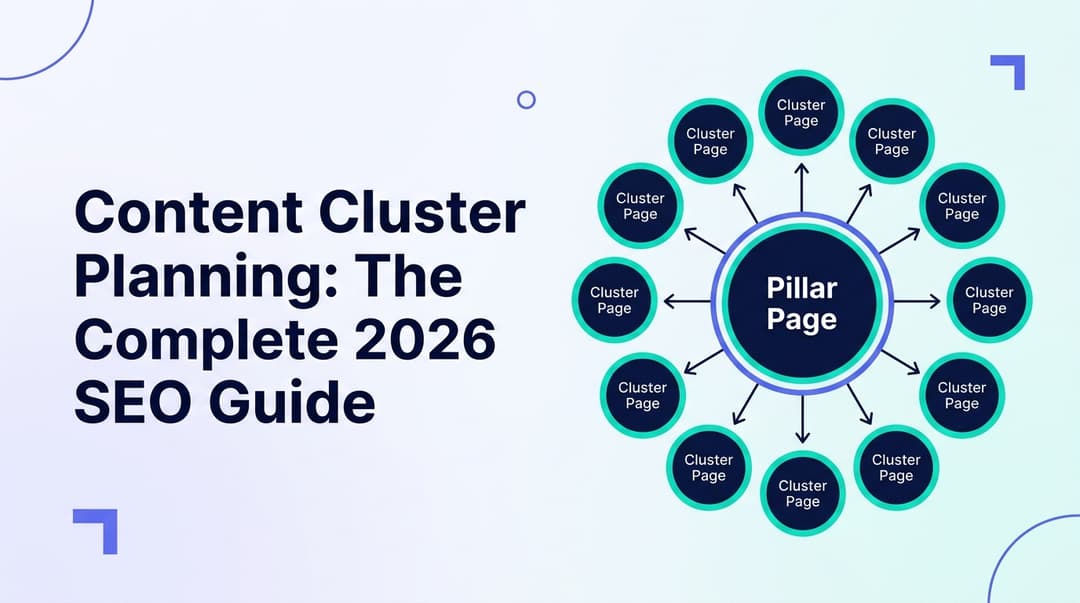
Content Cluster Planning: The Complete 2026 SEO Guide
Learn how to plan content clusters in 2026 to build topical authority, rank higher on Google, and get cited by ChatGPT, Gemini, and Perplexity.

Anchor Text Analysis: The Complete 2026 SEO Guide
Master anchor text analysis in 2026. Learn the 7 anchor types, safe distribution ratios, internal vs external strategy, audit steps, and how to avoid penalties.
Related Tools
Compare crawl results with sitemap URLs to identify orphan page candidates.
Site Depth VisualizerMap URL depth distribution from your sitemap and flag deep pages that may be hard to crawl.
Internal Link Graph MapperBuild a directed graph of internal links with in-degree and out-degree stats per page.