XML Sitemap Checks: The Complete 2026 Guide to Auditing & Fixing Your Sitemap

 Summarize in ChatGPT
Your XML sitemap is one of the most important — and most frequently misused — technical SEO assets on your website. Done correctly, it helps search engines discover and index your content faster. Done poorly, it wastes crawl budget, creates index bloat, and can quietly suppress rankings.
Most site owners set up a sitemap once, submit it to Google Search Console, and forget about it. The part people skip is checking back to make sure Google is actually using the sitemap the way you expect. That's exactly where XML sitemap checks come in — and why running regular sitemap audits is non-negotiable if you're serious about technical SEO in 2026.
This guide walks you through everything you need to know: what to check, which errors to look for, how to fix them, and how to keep your sitemap clean long-term.
Why XML Sitemap Checks Matter in 2026
Sitemaps and indexing sit at the core of technical SEO. They determine whether search engines can find, understand, and rank your pages. In 2026, with AI-driven search engines evaluating contextual meaning, structured data accuracy, and real-time content freshness, getting your sitemap and indexing strategy right is no longer optional.
A sitemap is a file that lists all the important URLs on your website and provides metadata about each one — such as when it was last updated, how often it changes, and how it relates to other pages on the site. Think of it as a roadmap you hand directly to search engines. Instead of discovering your pages through links alone, crawlers can follow your sitemap to find every page you want indexed.
A broken sitemap can silently sabotage your SEO performance. Search engines like Google rely heavily on sitemaps to understand your site structure, yet most sites contain at least one critical sitemap error that prevents pages from appearing in search results.
The bottom line: an XML sitemap is one of those technical assets that looks small until it is wrong.
The Most Common XML Sitemap Errors (And How to Fix Them)
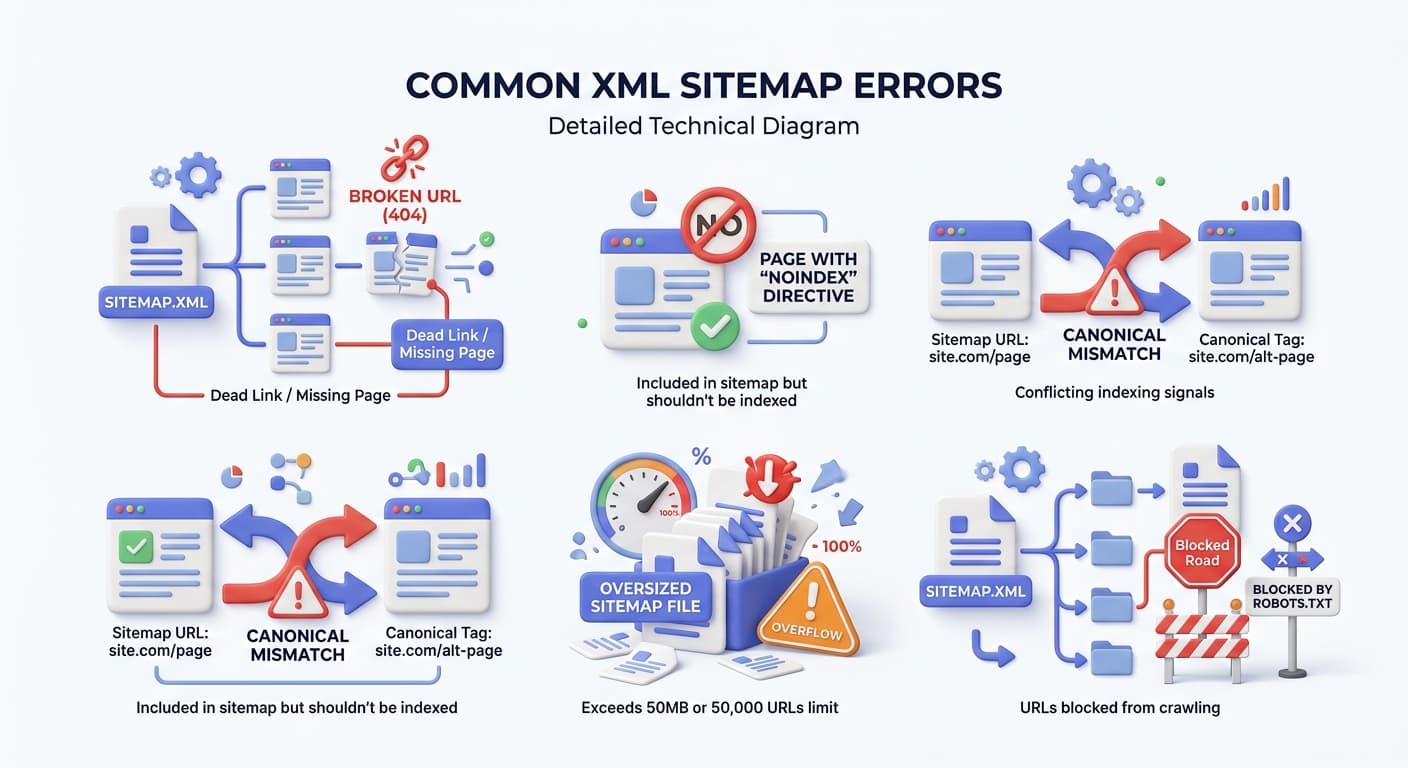
The most common sitemap mistakes that appear most frequently include: syntax errors that prevent parsing, invalid URLs returning 404 errors, canonical mismatches where your sitemap contradicts your page tags, unsupported protocols, sitemaps exceeding size limits, wrong XML namespaces, duplicate URLs, incorrect lastmod timestamps, permission blocks from robots.txt files, and mixed HTTP/HTTPS content.
Let's break each one down.
1. Broken or Redirected URLs (404s and 3xx)
Redirected URLs (3xx status codes) should not be in your sitemap. Sitemaps should only list the final destination URLs — the canonical, indexable versions of your pages. Including a redirect forces Googlebot to follow an unnecessary hop before reaching the actual content, which wastes crawl budget and can delay indexation.
Dead links in your sitemap are a crawl budget drain. Google will attempt to crawl every URL you submit; if those URLs consistently return 404 or 410 status codes, Google will eventually deprioritize your sitemap as a reliable signal.
Fix: Run your sitemap URLs through a bulk status checker. Remove any URL returning a 3xx status and replace it with the destination URL if that destination is canonical and indexable. You can use QuickSEO's sitemap validator to quickly scan for these issues.
2. Noindex Pages in Your Sitemap
If a page is set to noindex, it should not be in your XML sitemap. A sitemap is you telling search engines "please index this." A noindex tag says the opposite. The resulting conflict sends mixed signals to Googlebot that undermine your crawl efficiency.
Fix: Audit your sitemap against your noindex tags regularly. Most good SEO plugins handle this automatically, but verify the output after major site changes.
3. Canonical Mismatches
If the URL in your sitemap points to a page which points to some other canonical URL, it leads to confusion and weakens your SEO signals. Your sitemap must always list the canonical version of each page — never a non-canonical variant.
Fix: Your sitemap should only list the clean, final version of each page — no duplicates, no tracking parameters, no weird variations.
4. Syntax Errors and XML Formatting Problems
Syntax errors break your sitemap's XML structure. Common issues include malformed tags, missing headers, unescaped special characters (like ampersands appearing as & instead of &), and encoding problems that corrupt the file.
Most syntax problems stem from manual edits to XML files, broken sitemap generators, or incorrect character encoding. When you hand-edit a sitemap or use a faulty plugin, you risk introducing errors that validator tools would catch immediately.
Fix: Use an XML validator to check your sitemap's structure before submitting it. Google Search Console's sitemap report will flag parsing errors with specific error messages. The fix is straightforward: use standard sitemap generators that produce valid XML, enforce UTF-8 encoding, and validate every sitemap before submission.
5. Incorrect lastmod Date Format
A SEMrush audit of 50,000 websites found that over 18% of XML sitemaps contained at least one attribute value error. Among these, date format issues were the most common, making up 62% of the total errors. These mistakes can disrupt crawling efficiency and reduce the chances of successful indexing.
The lastmod attribute must follow the strict W3C datetime format: YYYY-MM-DDThh:mm:ss+00:00. Avoid using formats like MM/DD/YYYY, as they don't meet the required standard.
Fix: The <lastmod> field must be in ISO 8601 format. If Google cannot parse the date, it falls back to the Last-Modified HTTP header or just ignores the hint. Use ISO 8601. Most CMS platforms do this right, but custom sitemap generators often get it wrong.
6. Oversized Sitemaps
Google enforces a hard limit of 50,000 URLs and 50 MB per sitemap file; use sitemap index files beyond that.
The hard spec: one sitemap file can have up to 50,000 URLs and be up to 50 MB uncompressed. Go over either and Google will ignore the whole file. Not just the extra URLs. The whole file.
Fix: Break your sitemap into smaller, manageable files. This allows for quicker indexing and avoids overwhelming search engine crawlers. For websites exceeding these limits, split sitemaps by content type and organize them under a sitemap index file. This index file acts as a centralized directory, pointing to all your individual sitemaps.
7. robots.txt Conflicts
Your robots.txt file and sitemap need to agree. Blocking pages in robots.txt while listing them in your sitemap is a classic mistake and wastes crawl budget.
Fix: Cross-reference your robots.txt with your sitemap — every URL in your sitemap should be accessible to crawlers. Use the URL Inspection tool in Google Search Console to test whether specific pages are blocked. A common mistake is accidentally disallowing high-value directories during development and forgetting to reverse the directive before launch.
8. Mixed HTTP/HTTPS URLs
If your site is HTTPS, every URL in the sitemap must start with https://, not http://. Inconsistent protocols create confusion and may dilute your canonical signals.
Fix: Standardize all sitemap URLs to your preferred protocol. Update your canonical tags, internal linking, and sitemap generation to use only HTTPS URLs. Verify that HTTP URLs redirect to HTTPS equivalents, then update your XML sitemap to reflect this. Resubmit the sitemap to both Google Search Console and Bing Webmaster Tools after making changes.
9. Duplicate URLs
Google counts duplicate <loc> URLs as one in sitemaps. Google may not consider this a sitemap error, but you should still keep your sitemap clean from duplicates. Duplicates won't help Google index your website faster, and instead can add clutter and increase the sitemap XML file's size.
Fix: Make sure every URL in your sitemap is distinct and directs to the preferred version of the page. Avoid listing both HTTP and HTTPS versions or including www and non-www variations. Regular sitemap audits are essential — identify and eliminate duplicates to keep your sitemap clean and accurate.
The XML Sitemap Check Process: A Step-by-Step Audit
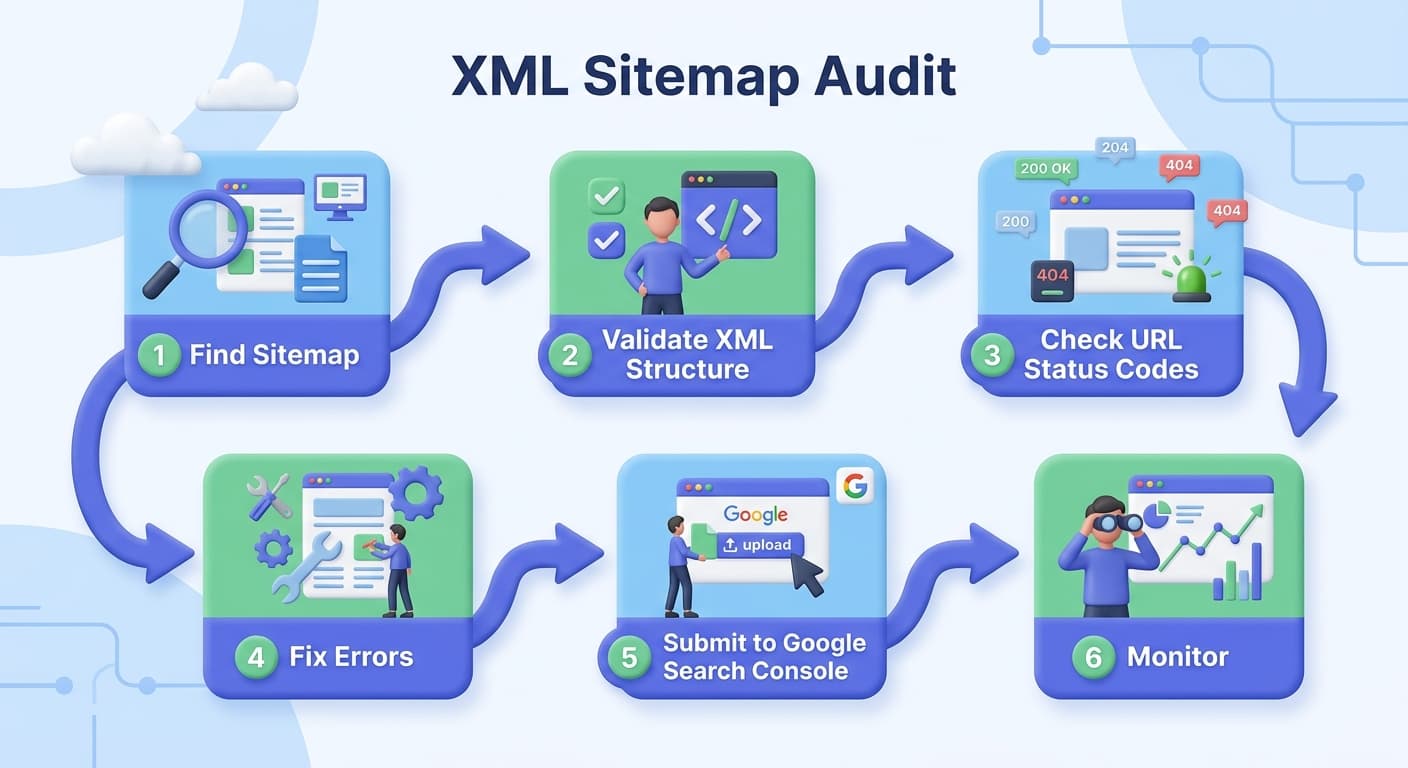
Running a thorough XML sitemap audit doesn't have to be complicated. Here's the systematic process we recommend:
Step 1: Locate Your Sitemap
Your sitemap is typically found at https://yourdomain.com/sitemap.xml. If you use a CMS like WordPress with Yoast SEO or Rank Math, it's generated automatically. You can also use QuickSEO's sitemap URL extractor to pull all URLs from any sitemap instantly.
Step 2: Validate the XML Structure
To ensure your XML sitemaps are accurate and structured properly, you must know how to prevent syntax errors and common sitemap mistakes. One of the most convenient ways to accomplish this is through the use of XML sitemap validators. Tools like these will generate a comprehensive report, highlight problematic sections or lines of code, and provide you with valuable insights on how to fix common sitemap errors.
Step 3: Check URL Status Codes
Every URL in your sitemap should return a 200 OK status. Search engines expect every URL in your sitemap to return a 200 OK status. Anything else gets flagged and ignored. According to Conductor, one of the most common sitemap errors reported in Google Search Console is "Submitted URL not found (404)".
Step 4: Audit for Noindex and Canonical Conflicts
Cross-check every URL in your sitemap against your page-level noindex tags and canonical tags. Every URL in your sitemap should return a 200 status, have no noindex tag, and point to the canonical version of the page.
Step 5: Review lastmod Accuracy
A <lastmod> that never changes tells crawlers the page is static. Update it whenever you meaningfully edit a page. Equally important: don't falsify lastmod dates. Use the lastmod tag only when it's accurate; fake dates can backfire.
Step 6: Check robots.txt Alignment
Your robots.txt file and sitemap need to agree. Use the QuickSEO robots.txt validator alongside your sitemap check to confirm there are no conflicts between the two files.
Step 7: Submit and Monitor in Google Search Console
Before submitting or after making changes, validate your sitemap with Google Search Console (the most authoritative source). After submission, the Sitemaps report flags processing errors, excluded URLs, and the gap between discovered and indexed pages.
QuickSEO's Sitemap Validator Tool
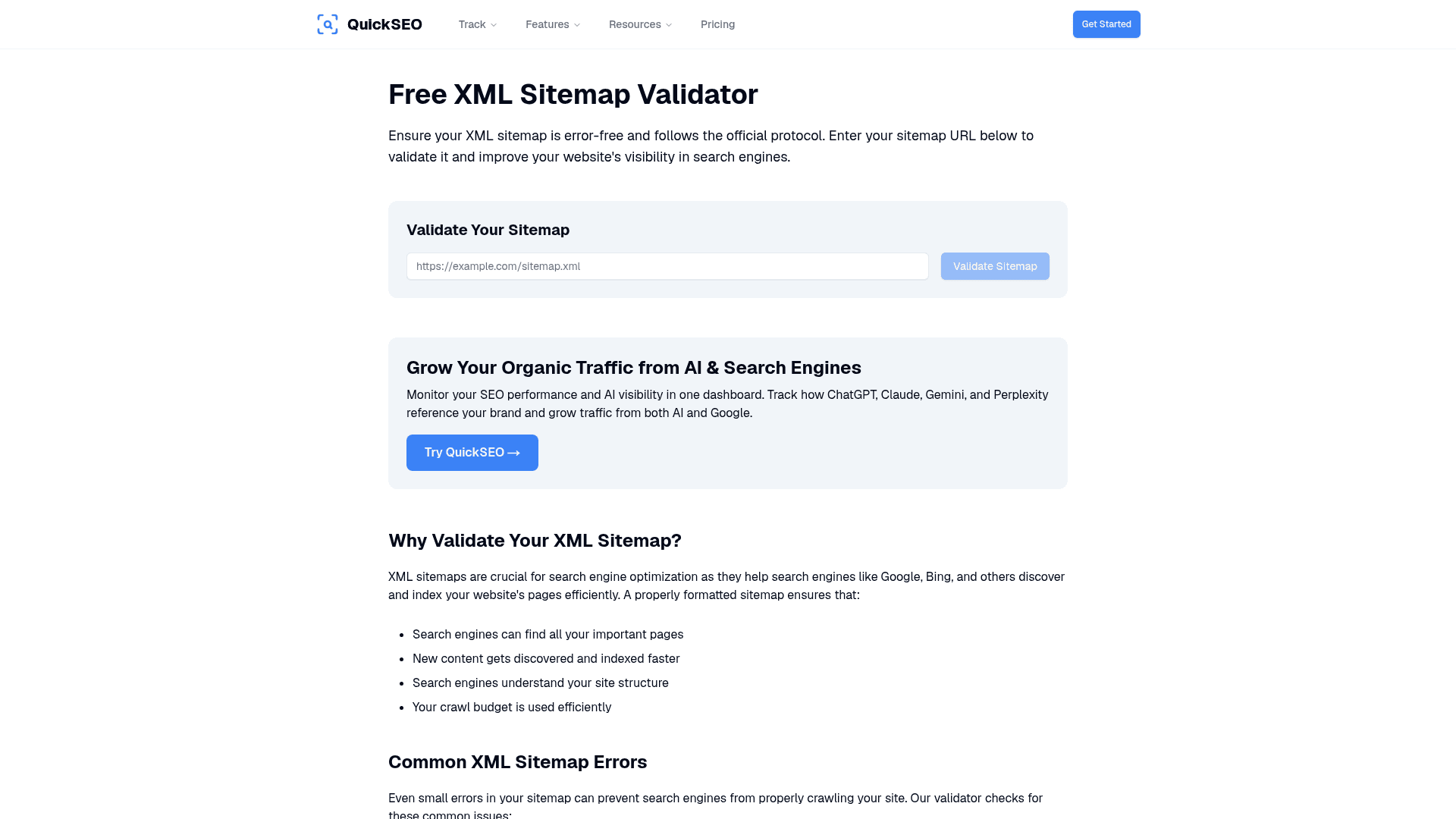
QuickSEO's sitemap validator makes it easy to run instant checks on any sitemap. Simply paste your sitemap URL and get a full report on errors, warnings, and URL health — no complex setup required.
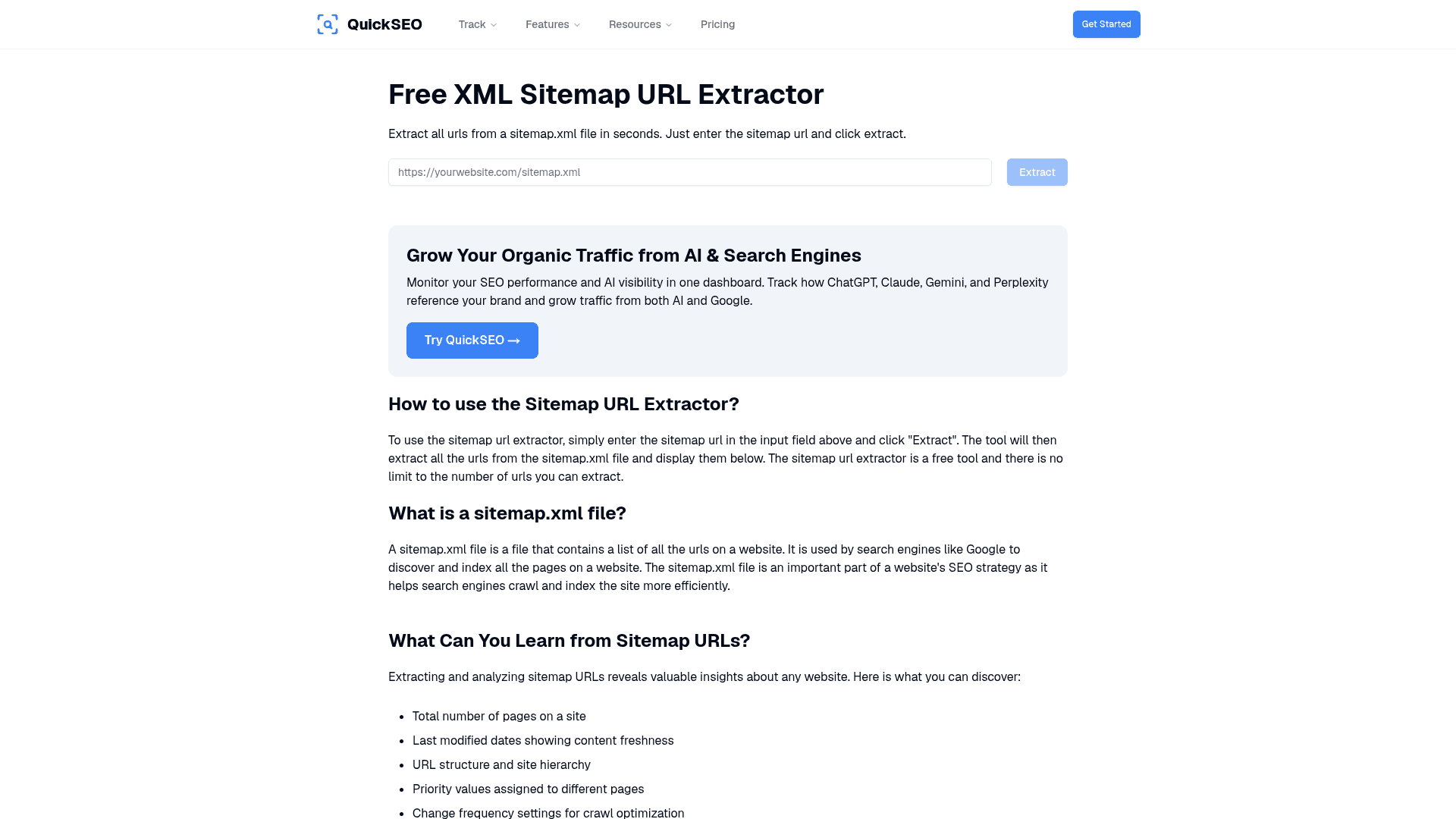
The companion sitemap URL extractor lets you pull every URL from a sitemap file — useful for bulk audits, competitor analysis, and verifying what pages are actually being submitted to search engines.
XML Sitemap Best Practices for 2026
Beyond fixing errors, keeping your sitemap clean requires ongoing discipline. Here are the core best practices:
Only Include Indexable, Canonical URLs
Include only canonical, indexable URLs that you desire to search. Omit redirects, noindex pages, duplicates, broken pages, and low-value utility URLs.
Exclude anything that is low value or not meant for search. Common examples are internal search results, thin tag pages, admin pages, and duplicate versions of the same content. Also keep out URLs that redirect, return 404 errors, or are blocked from indexing. If a page has a noindex setting, it should not be in the sitemap.
Use Dynamic, Automated Sitemaps
Dynamic sitemaps are generated programmatically at request time or on a scheduled basis. Your CMS, framework, or a dedicated plugin queries your content database and constructs the sitemap automatically. Every new page you publish appears in the sitemap within minutes. For the vast majority of sites, dynamic sitemaps are the correct default.
An outdated sitemap can seriously hurt your SEO. It might lead search engines to dead links or cause them to overlook new content altogether. Automating your sitemap updates ensures they remain accurate and up-to-date, which is a key part of any solid technical SEO plan.
Stop Obsessing Over priority and changefreq
This is a common misconception: obsessing over priority and change frequency while ignoring URL quality is upside-down SEO. In 2026, Google ignores those fields. The real work is choosing the right URLs, keeping the file clean, and maintaining trustworthy lastmod data.
Segment Large Sitemaps
Use a sitemap index file to organize sitemaps by content type (pages, posts, products, images) for easier management and debugging. This approach also allows you to submit a single file to search engines, and facilitates the tracking of individual sitemap performance within Search Console.
Always Reference Your Sitemap in robots.txt
Always submit your sitemap in Google Search Console and Bing Webmaster Tools and reference it in robots.txt. This ensures all major crawlers can find your sitemap without guessing.
Monitor Continuously
Keeping an eye on your XML sitemap is crucial for maintaining smooth indexing. Regularly tracking performance helps you spot and address issues before they disrupt your site's visibility.
While automation handles most sitemap maintenance, regular manual checks remain important. Review your automated sitemap periodically to verify it properly reflects your website structure and content. Look for issues like broken links, incorrect URLs, or missing pages.
Re-validate after every deploy. New redirects and URL changes often break sitemap integrity silently. Build validation into your release checklist.
What Google Actually Uses From Your Sitemap
It's worth knowing what Google really pays attention to in a sitemap — and what it ignores:
Sitemap Element | Google's Behavior |
|---|---|
| ✅ Always used |
| ✅ Used when accurate |
| ❌ Largely ignored |
| ❌ Largely ignored |
HTTP status of URLs | ✅ Always checked |
Canonical alignment | ✅ Critical signal |
If your sitemap generator includes <priority> automatically, leaving the default values is harmless but provides no SEO benefit. Focus instead on accurate <lastmod> values, which Google does use as a crawling signal when the data is reliable.
Google treats a sitemap as a hint, not a command, so submitting one does not force crawling or indexing. But a clean, accurate sitemap dramatically improves the conditions for both.
The Competitive Angle: Spy on Competitor Sitemaps
Here's an underutilized tactic: since an XML sitemap essentially provides a roadmap of a website's content, analyzing it can reveal insights into a competitor's content priorities, hierarchy, and SEO strategy. By reviewing your competitors' sitemaps, you can identify which pages they consider most important, how frequently they update their content, and whether they segment their site into specific categories or topic clusters. This information can help you understand what type of content resonates in your industry, what topics competitors are targeting for organic traffic, and where there may be gaps you can exploit.
Additionally, sitemaps often include details on last modification dates, which helps you track how active competitors are in publishing or refreshing their pages.
Use QuickSEO's sitemap URL extractor to pull competitor sitemaps and identify content gaps in your own strategy.
XML Sitemap Checks: Quick-Reference Checklist
Run through this checklist regularly — we recommend monthly for active sites:
All URLs return a 200 OK status
No noindex pages included
All URLs point to their canonical versions
No redirected (3xx) URLs
No broken (4xx) URLs
lastmod** dates** are accurate and in ISO 8601 formatSitemap is under 50,000 URLs and 50 MB
Large sites use a sitemap index file
No duplicate URLs
All URLs use HTTPS (if your site is HTTPS)
robots.txt does not block any sitemap URLs
Sitemap is referenced in robots.txt
Sitemap is submitted in Google Search Console
XML is valid and UTF-8 encoded
No special characters that aren't properly escaped
🚀 Track More Than Just Your Sitemap
A clean XML sitemap is the foundation — but it's only one piece of your SEO health puzzle. QuickSEO gives you AI & SEO analytics in one dashboard, so you can track your presence across Google Search and AI chatbots like ChatGPT, Claude, and Gemini simultaneously. Run a free sitemap validator check, then take it further with QuickSEO's full suite of technical SEO tools — from broken link detection to structured data validation. Join thousands of marketers already tracking their AI & SEO performance with QuickSEO. Get started for free at quickseo.ai →
Conclusion
XML sitemap checks aren't glamorous, but they're foundational. Fixing your XML sitemap isn't just a technical effort — it's a decisive step towards better crawling, quicker indexing, and stronger organic visibility. When search engines can easily understand your site structure, they reward you with quicker updates, higher indexation rates, and healthier SEO returns.
The key principles to carry forward:
Only include URLs you want indexed — clean, canonical, returning 200 OK
Automate your sitemap so it always reflects your current site structure
Validate regularly — not just when you launch, but after every major site change
Monitor in Google Search Console and act on any errors you see
**Ignore
priorityand **changefreq, but keeplastmodhonest
A strong XML sitemap does one job well: it helps Google discover the right URLs faster and with less ambiguity. That is enough reason to take it seriously.
Start your sitemap audit today with QuickSEO's free sitemap validator and make sure every page you've worked hard to create actually gets found.
Enter your website to track its AI visibility across ChatGPT, Gemini, Claude, and Perplexity — and turn chatbot mentions into traffic.
- Set up in minutes
- Cancel anytime
Try it yourself
Related free tools
Free SEO tools related to the topics covered in this article.
Keep reading
Related posts
More articles on the same topics, prioritized by shared tags and keyword overlap.