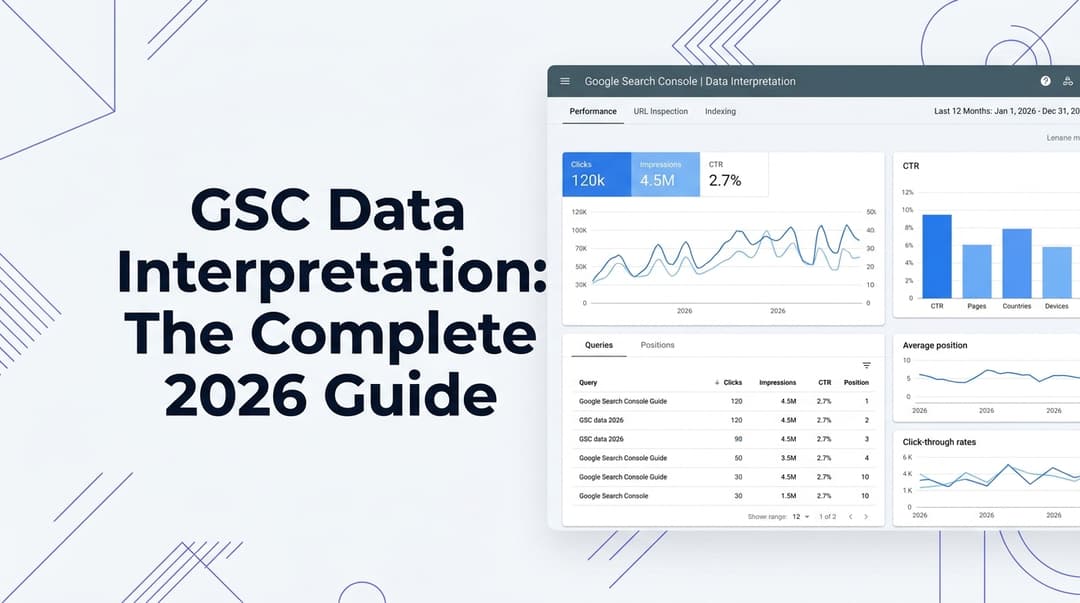
Search Console Alerts: The Complete 2026 Guide to Monitoring, Responding & Winning

 Summarize in ChatGPT
You've seen them — those cryptic emails from Google Search Console landing in your inbox at the worst possible time. "New security issues detected." "Coverage issues discovered." "Manual action applied." Most site owners either ignore them until disaster strikes or panic at the first notification and start making frantic changes they'll regret.
Neither response is correct.
Search Console alerts act as your early warning system. They notify you of important events, such as crawl errors (problems Googlebot encounters when trying to access your pages), index coverage issues (pages that Google cannot index or has de-indexed), security issues (malware, phishing attempts, or other security breaches), manual actions (penalties issued by Google for violating its webmaster guidelines), mobile usability problems, and Core Web Vitals changes.
In 2026, understanding and acting on those alerts isn't optional — with search algorithms constantly evolving and AI-powered search experiences becoming mainstream, mastering Google Search Console is essential for anyone serious about organic visibility.
This guide breaks down every major alert type, tells you exactly which ones require immediate action, and shows you how to build a monitoring workflow that catches problems before they hit your traffic.
Why Search Console Alerts Matter More Than Ever in 2026
Google Search Console remains the most important free tool for anyone managing a website's search performance in 2026. Whether you run a small business blog, an enterprise e-commerce store, or manage dozens of client websites as an agency, GSC provides the direct line of communication between your site and Google's search engine. It tells you what Google sees when it crawls your pages, which queries drive traffic, which pages rank well, and where critical problems exist that prevent your content from appearing in search results.
Despite its importance, many website owners and even experienced marketers underutilize Google Search Console. They check it occasionally when something goes wrong but miss the powerful insights available in daily performance monitoring.
The stakes have also grown considerably. As Google search results become more dynamic, with AI-assisted features, richer results, and more refined quality systems, SEO monitoring has to move beyond simple ranking checks. Website owners now need to combine Search Console data with other signals such as crawl reports, page speed testing, analytics, and content reviews.
Semrush estimates that 60% of searches now end without a click ("zero-click"), which means you need to interpret performance through both traffic and visibility (impressions, position, CTR). In SERPs that increasingly answer queries directly, weekly monitoring of impressions and CTR becomes a leading indicator — even before traffic starts to decline.
The bottom line: a well-tuned alert system is the difference between catching a problem in hours and discovering it weeks later in your revenue figures.
The 5 Types of Google Search Console Alerts You Need to Know
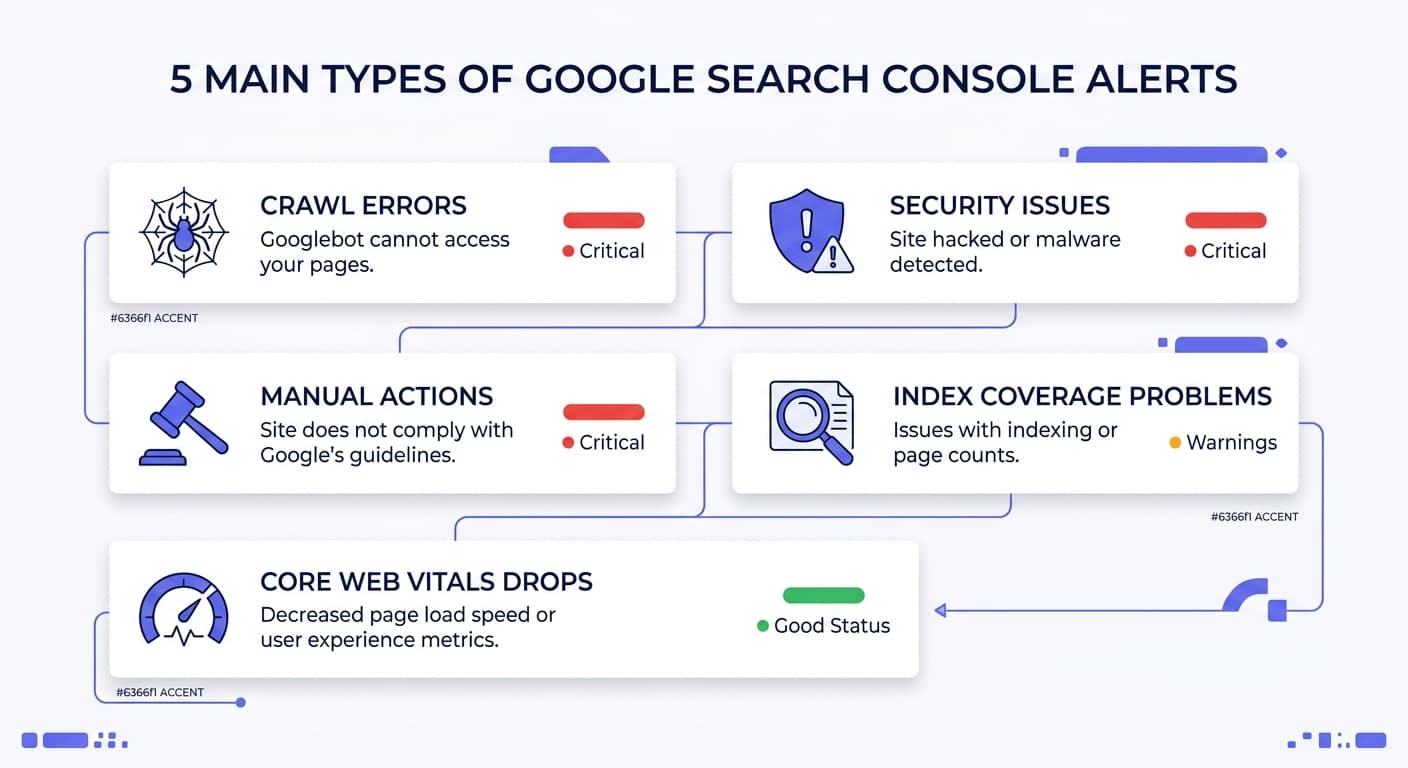
1. Security Issues — Act Immediately
The Security Issues report in Google Search Console alerts you if Google detects malware, hacked content, phishing pages, or harmful downloads on your site.
If your site is affected by a security threat, like malware or phishing, Google may alert users before they reach your site with warnings or interstitial pages, which may decrease Search traffic. Check the Security Issues report to find if Google detected a security threat on your website.
Priority level: CRITICAL. Act within hours.
When you receive this alert:
Immediately scan your server files and database for injected code
Revoke access for any compromised admin accounts
Contact your hosting provider
Once resolved, you can submit a reconsideration request to let Google know the necessary steps have been taken. Documenting your changes clearly — URLs, dates, corrective measures — often helps speed up the review process.
2. Manual Actions — Your Site Has Been Penalized
Google detects practices that violate Google Search spam policies both through automated systems and, as needed, human review that can result in a manual action. If your site doesn't comply with the spam policies for Google web search, your content might rank lower in results or not appear in results at all. If you suspect a drop due to a spam violation, review Google's spam policies to ensure you're not engaging in spam practices. Also, check the Manual Actions report on Search Console to see if any have been issued to your website.
If you have an active manual action, you've been penalized. The page describes the violation and the fix. Manual actions are rare but devastating — most cause 50–90% traffic drops.
Priority level: CRITICAL. Act within 24 hours.
The alert will describe the violation clearly. Fix it, then submit a reconsideration request through the Manual Actions report.
3. Index Coverage Issues — Pages Disappearing From Google
Index coverage alerts are among the most frequently triggered — and also the most misunderstood. Not every coverage alert is an emergency.
Google Search Console "alerts" fall into two buckets: (1) indexing/coverage messages (often harmless), and (2) performance anomalies (clicks/impressions/CTR drops) that need action.
Common index coverage alerts and how to triage them:
"Crawled – currently not indexed": These often indicate thin content, duplication, or weak internal linking. Investigate the pages flagged before making changes.
"Discovered – currently not indexed": Usually a crawl budget issue or poor internal linking — prioritize improving site architecture.
404 errors on previously ranked pages: Highest priority. Care about this when the URL had backlinks, gets traffic, or is linked internally. Classify the 404, then 301 redirect / 410 / restore accordingly.
You can use QuickSEO's free broken link checker and orphan URL detector to systematically surface the pages most likely to trigger these alerts.
Priority level: HIGH for revenue pages. LOW-MEDIUM for peripheral content.
4. Core Web Vitals Alerts — User Experience Under Threat
Search Console summarises Core Web Vitals (mobile and desktop) by grouping URLs. These indicators help prioritise fixes that have the greatest impact on user experience. Only 40% of websites pass Google's Core Web Vitals assessment, and HubSpot reports that slower load times can increase bounce rate by 103%.
Google's Core Web Vitals targets for 2026 are: LCP under 2.5 seconds, INP under 200 milliseconds, and CLS under 0.1.
Priority level: HIGH. Focus on your highest-traffic pages first — that's where performance gains have maximum ROI.
5. Crawl Errors — Googlebot Can't Access Your Pages
Crawl errors mean Googlebot is hitting obstacles when trying to index your site. Common culprits include server errors (5xx), bad redirects, blocked resources in robots.txt, and DNS failures.
Proactive monitoring through alerts allows you to minimize SEO damage — addressing problems before they have a significant negative impact on your rankings and traffic — and improve website health by quickly identifying and fixing technical issues that hinder Google's ability to crawl and index your site.
Use QuickSEO's robots.txt validator to instantly check whether Googlebot can reach the pages that matter most.
How to Set Up Search Console Alerts (Step by Step)
Once you're in, navigating to the alert settings is straightforward. Google Search Console allows you to receive email notifications for various types of alerts. In your Google Search Console dashboard, look for the "Settings" option in the left-hand navigation menu and click on it. Within the "Settings" menu, you'll find a sub-option called "Email subscriptions." Click on this to access the alert configuration. This is where you control which types of alerts you receive.
For most users, enabling all critical alerts — Crawl Errors, Index Coverage, Security Issues, Manual Actions, Mobile Usability — is the best approach. You can always adjust them later if you find you're receiving too many notifications.
One important limitation to be aware of: you can't unsubscribe from email notifications directly from the Google Search Console interface. As email preferences are available in the User settings, not the Property settings, if you unsubscribe from one type of email you will unsubscribe from these emails across all your verified projects.
Pro tip: Check notifications in the GSC interface and in Gmail regularly — indexing messages, security alerts, and unusual error spikes all serve as early warning signals.
Building a Smarter Alert Workflow
Beyond Built-In GSC Notifications
GSC's native alerts are a solid starting point, but they have real gaps — especially around performance monitoring.
GSC messages tell you what Googlebot saw (crawl/index/canonical/robots). Performance alerts tell you what users did (impressions, clicks, CTR, rankings). If you treat every message like an emergency, you'll stop paying attention. If you ignore everything, you'll miss the one thing that matters: your revenue-driving pages losing demand or rankings.
Email-based notifications are easy to miss. A better pattern is: alert to the place your team already works, with enough context to act.
Prioritize Alerts by Business Value
Label pages by traffic, lead value, or revenue potential. Then match the alert channel to the impact. Use real-time alerts only for critical failures. Send medium issues in one daily summary. That keeps website monitoring useful and protects your team's focus.
A practical framework:
Alert Type | Urgency | Channel | Owner |
|---|---|---|---|
Security Issue | Immediate | SMS / Slack | Site owner / Dev lead |
Manual Action | Same day | Email + Slack | SEO lead |
Major traffic drop (>30%) | Same day | Slack | SEO / Marketing |
Index coverage error (key pages) | Within 24h | SEO team | |
Core Web Vitals failure | Within 1 week | Weekly digest | Dev / SEO |
Minor coverage warnings | Weekly review | Dashboard | SEO team |
Each alert needs one owner, one channel, and one expected next step. Shared inboxes kill urgency.
How to Respond When Traffic Drops
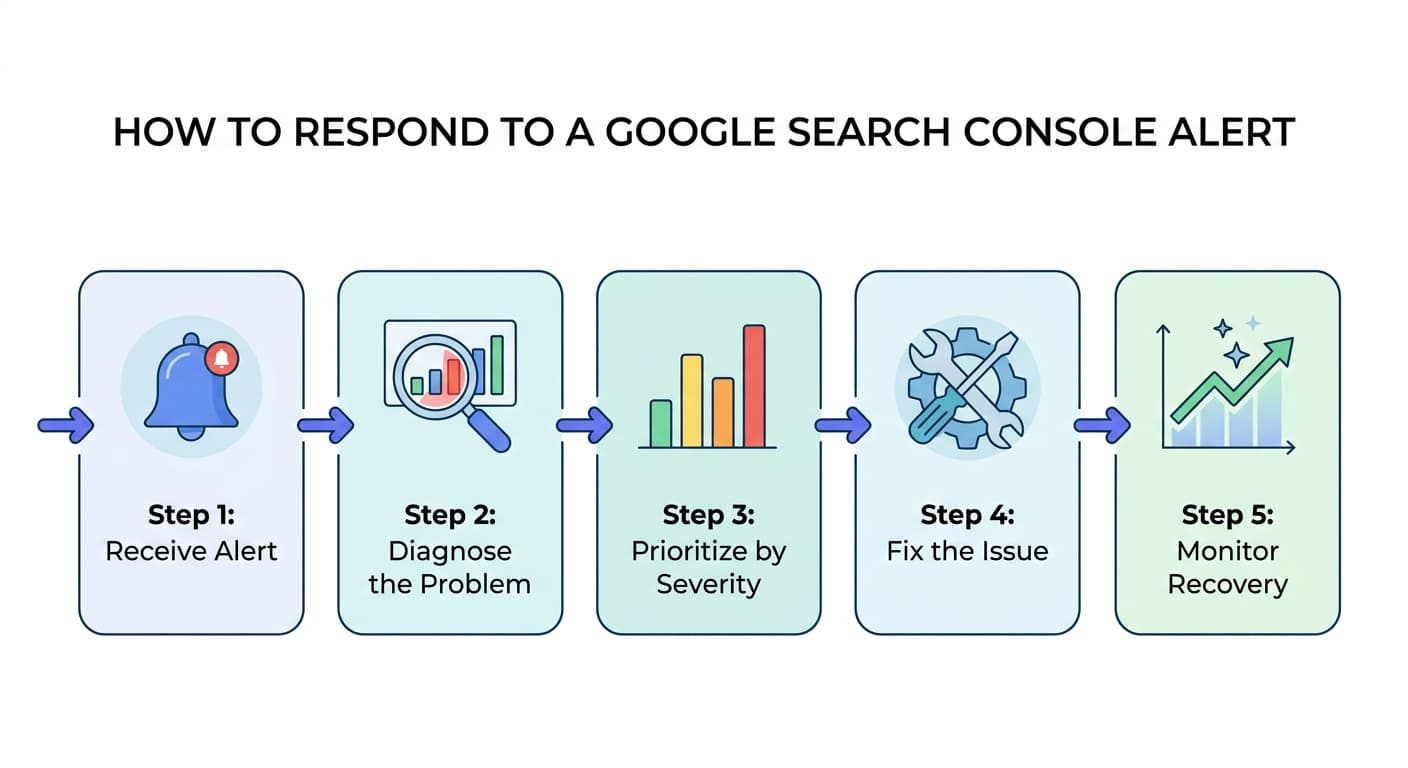
A traffic drop alert is the most stressful thing you'll see in Search Console. Here's how to handle it without panicking.
Step 1: Determine If the Drop Is Real
A sustained 15% drop over 7+ days is worth investigating but probably normal seasonality or natural fluctuation. A sustained 30% drop over 7+ days is almost always a real cause — algorithm update, technical issue, or content decay. Drops under 15% on weekends or specific days are usually noise. Always compare against the same day-of-week from previous weeks, not raw daily numbers.
Step 2: Diagnose the Root Cause
Three causes account for most cases: (1) algorithm updates the site owner didn't notice, (2) recent content publication that triggered cannibalization, and (3) technical issues introduced by deployments — broken canonicals, accidental noindex tags, sitemap errors.
Check these in order:
Manual actions: Go to Security & Manual Actions → Manual Actions in GSC
Indexing changes: Check if key pages have been de-indexed (Indexing → Pages report)
Algorithm updates: Cross-reference your traffic drop dates with the Google Search Status Dashboard
Technical issues: Check for recently deployed changes, noindex tags, robots.txt changes
A 30% impressions drop with stable CTR is a ranking issue. A 10% impressions drop with 50% CTR drop is a SERP feature issue — Google added a featured snippet, AI overview, or rich result that's stealing clicks. The fix is different for each.
Step 3: Don't Make Changes Too Fast
Google explicitly recommends waiting until a rollout fully completes, then waiting another week before drawing conclusions. The March 2026 update ran 12 days. Anything you changed on day three was based on incomplete data. The best response plan is a waiting plan with defined escalation triggers: if traffic is still down 30% or more two weeks after rollout completion, then analyze and act.
Step 4: Fix the Cause, Not the Symptom
Once you've identified the root cause, act decisively:
For technical issues: Fix broken canonicals, remove accidental noindex tags, correct redirect chains
For content issues: Focus on your top 20–30 organic landing pages first — that's where you'll see maximum ROI. Update all dates and statistics to 2026. Remove fluff and filler content.
For Core Web Vitals: Run the Core Web Vitals report in Search Console and fix pages with poor scores, prioritizing your top traffic pages. Optimize images, reduce JavaScript, improve server response time. Test on mobile — this is where most users experience issues.
The 2026 Upgrade: Pairing GSC Alerts With AI Visibility Monitoring
Here's what GSC alerts can't tell you: whether your brand is being cited in ChatGPT, Claude, Gemini, or Perplexity.
Google Search Console has become even more valuable in 2026 as it now includes data from AI Overviews and AI Mode alongside traditional search results. This free platform from Google provides direct insights into your site's search performance, technical health, and visibility across traditional search results, AI Overviews, and AI Mode.
But that's only half the picture. With AI Overviews shaping user interactions and potentially reducing clicks to sites, SEO strategies must adapt — focusing more on intent, context, and deeper engagement.
In 2026, a complete monitoring strategy requires watching two surfaces simultaneously:
Google Search — monitored via GSC alerts and performance data
AI chatbots — monitored via dedicated AI visibility tracking
Automated SEO monitoring helps here. AI Overviews caused a 61% drop in organic clicks for some queries, which shows how fast visibility can change.
A best-in-class workflow for 2026 looks like this:
Daily: Check GSC Messages tab for new alerts; scan AI visibility dashboard for citation drops
Weekly: Check important landing pages and compare performance across similar page groups rather than isolated pages alone. Check impressions and CTR as leading indicators — even before traffic starts to decline.
Monthly: Full performance audit including AI citation share, indexed page counts, Core Web Vitals, and content decay review
Search Console Alert Cheatsheet: What to Do and When
Here's a quick-reference guide for the most common GSC alerts:
🔴 Act Immediately (within hours)
Security Issue detected (malware, phishing, hacked content)
Manual action applied
Site suddenly returning 5xx errors sitewide
🟠 Act Today (within 24 hours)
Key revenue pages de-indexed
Significant drop in impressions/clicks on core landing pages
New redirect loops or canonical conflicts on high-value URLs
🟡 Investigate This Week
Core Web Vitals failures on top traffic pages
Crawl anomalies on important sections
New "Crawled – currently not indexed" warnings for pages that should rank
🟢 Review Monthly
Minor coverage warnings on low-value pages
Structured data warnings on non-critical schema types
Sitemap discrepancies on older content
Common Mistakes When Responding to Search Console Alerts
Even experienced SEOs make these errors when reacting to GSC notifications:
Treating all alerts as equal urgencies. A minor coverage warning on a blog post from 2019 is not the same as a manual action on your homepage.
Making too many changes at once. Making 5 changes simultaneously means you can't tell what helped. Fix one cause, wait 2 weeks, measure, then fix the next.
Ignoring the GSC inbox. Many website owners underutilize Google Search Console. They check it occasionally when something goes wrong but miss the powerful insights available in daily performance monitoring.
Not distinguishing between GA4 and GSC data. Google Analytics shows total traffic; Google Search Console shows organic search traffic specifically. A drop in GA could be ad campaign changes, social referrals, or direct visits — none of which require SEO action. Always confirm in GSC first.
Panicking during algorithm updates. Decide thresholds before anything happens: a 10–15% traffic drop over one week triggers monitoring only. A 30% drop sustained over two weeks triggers an offline content audit. A 50% drop triggers a full review including link profile, technical crawl, and E-E-A-T assessment.
2026 GSC Updates That Affect Your Alert Strategy
In 2026, Google Search Console expanded its capabilities and introduced notable updates focused on AI integration, performance insights, data simplification, and structured data evolution. These changes reflect Google's broader shift toward AI-powered search, more intuitive analytics, and streamlined reporting workflows.
Key changes relevant to alert monitoring:
Performance aggregation: Previously limited to daily 24-hour views, Performance reports now allow weekly and monthly aggregation — making longer-term performance trends easier to analyze.
AI Overviews data: As of 2026, Google Search Console integrates AI Overview and AI Mode data into the standard Performance report, giving you new signals to monitor for click-through rate anomalies.
Structured data changes: Starting January 2026, support for specific structured data — particularly practice problem markup and a few lesser-used schemas — was removed from Search Console and its API. These structured data types will no longer show in Search Console reports. Rich result generation for these schema types can stop appearing in search results.
Stay on top of what's changing by checking the QuickSEO blog regularly for the latest GSC updates and SEO monitoring guides.
Building a Sustainable Monitoring Habit
The most useful response to Search Console changes is to build a repeatable monitoring process. Check important landing pages weekly or monthly, depending on site size, and compare performance across similar page groups rather than isolated pages alone.
Here's a sustainable weekly rhythm:
Every Monday:
Open GSC → Messages. Triage any new alerts.
Check the Performance report for the past 7 days vs. the prior 7 days.
Flag any pages with >20% impression or click decline for investigation.
Every month:
Full index coverage audit — review "Excluded" pages for patterns
Core Web Vitals review — identify new failing URLs
Structured data validation using the QuickSEO structured data validator
AI visibility audit — check brand citation rates in ChatGPT, Claude, Gemini, and Perplexity
Teams using strong monitoring workflows can resolve issues 4x faster — and that speed advantage compounds over time into a significant competitive edge.
Conclusion
Google Search Console alerts are not noise. They're signals — some urgent, some routine, all meaningful when you know how to read them.
In 2026, the SEO teams winning in both traditional search and AI are the ones who've built disciplined monitoring systems: triage protocols that separate genuine threats from background chatter, clear ownership for each alert type, and escalation thresholds defined before the crisis hits.
The goal isn't to react to every notification. It's to act on the right ones, fast enough to matter — and to spend the time you save building the content and authority that make your site worth defending in the first place.
QuickSEO is a free Google Search Console dashboard for all your websites. Connect Search Console, pick the properties you want, and see clicks, impressions, CTR and average position for every site on one screen, each compared with the previous period, with the keywords and pages behind the numbers. Connect Search Console for free →
QuickSEO shows clicks, impressions, keywords and pages for every website you manage, compared with the period before.
- Unlimited websites on the free plan
- No credit card needed
Keep reading
Related posts
More articles on the same topics, prioritized by shared tags and keyword overlap.