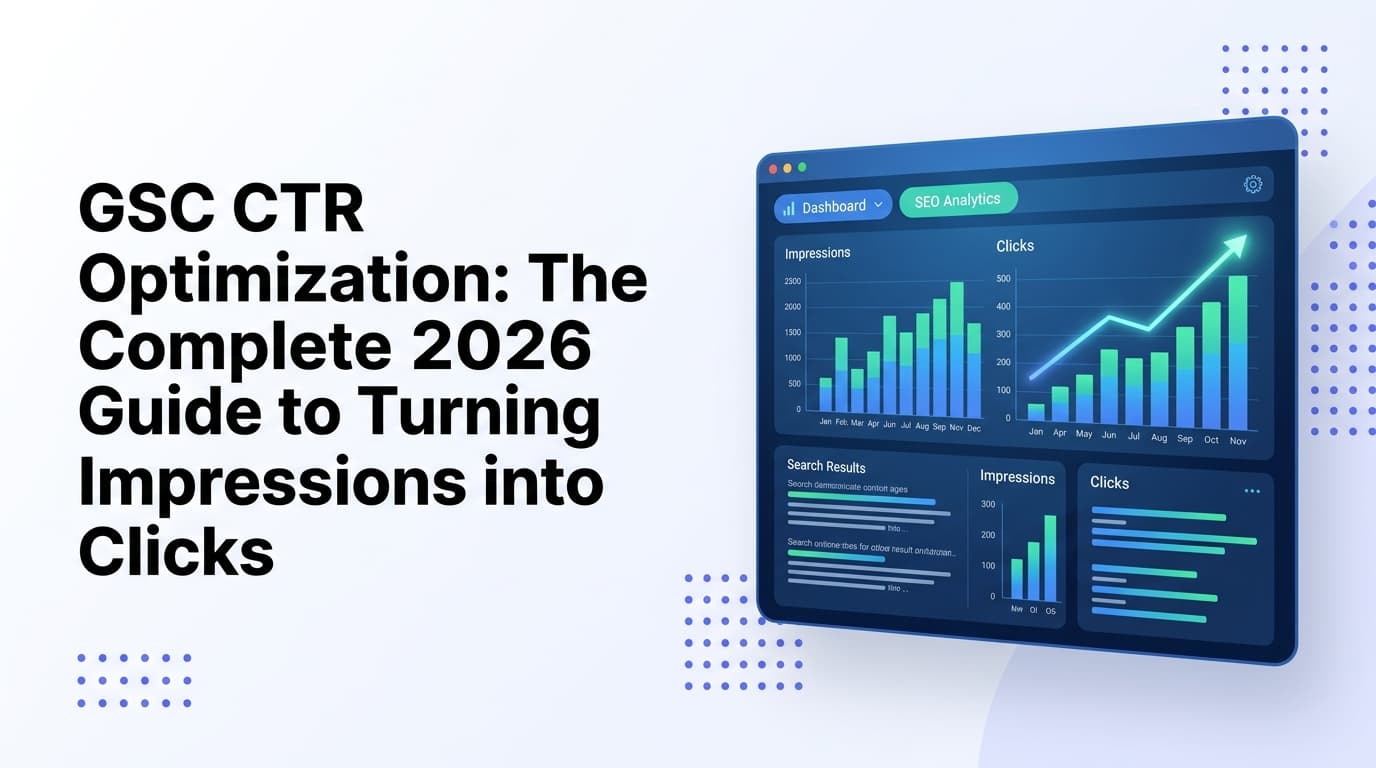
GSC CTR Optimization: The Complete 2026 Guide to Turning Impressions into Clicks

 Summarize in ChatGPT
Your pages are showing up in Google. Thousands of searchers see your URLs every month. And yet — they're not clicking.
This is one of the most common and most fixable SEO problems in 2026, and Google Search Console (GSC) gives you everything you need to diagnose and solve it. Click-through rate (CTR) in Google Search Console measures the percentage of people who see your page in search results and actually click on it. It is one of the most underused metrics in SEO because most people focus on rankings and ignore what happens after they rank. Improving CTR is one of the fastest ways to increase organic traffic without changing your rankings at all.
This guide walks you through exactly how to find your CTR leaks in GSC, fix them methodically, and turn dormant impressions into real, compounding traffic — all without waiting for rankings to move.
Why CTR Matters More Than Ever in 2026
As search engines evolve in 2026, click-through rate has become more critical than ever before. Zero-click searches continue to rise, and AI-generated answers frequently satisfy user queries without requiring website visits. The disconnect between impressions and clicks has certainly intensified in 2026, primarily due to AI-generated search results and zero-click searches.
Research found that even queries without any AI Overviews saw a 41% CTR decline year-over-year, driven by a broader shift in user behavior toward AI-native search. An increasing share of informational queries now resolves on ChatGPT or Perplexity without generating a GSC impression at all.
Despite these headwinds, the opportunity remains enormous. Over 90% of pages ranking on the first page of Google have CTRs below 10%, leaving massive potential traffic untapped. Your keywords might be generating thousands of impressions, but without compelling reasons to click, those impressions are essentially worthless. The difference between a 2% and a 4% CTR could mean doubling your organic traffic without changing your rankings at all.
The math is stark: if you rank in position 4 for a keyword that gets 10,000 searches per month and your CTR is 3% instead of the expected 7%, you are leaving hundreds of clicks on the table every month.
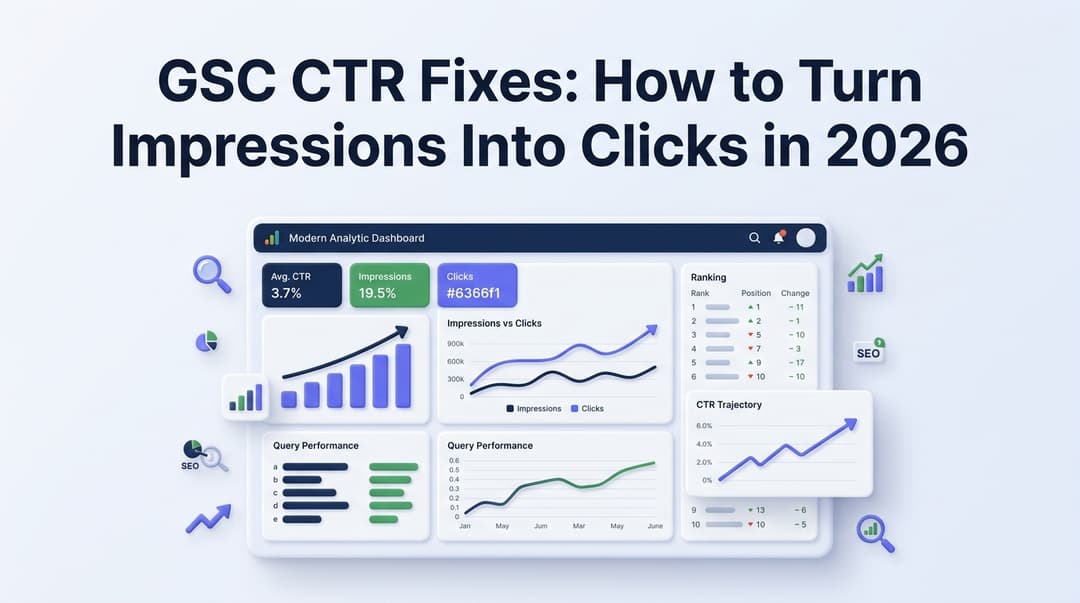
For a deeper look at how CTR benchmarks have shifted with AI Overviews, see our post on GSC CTR fixes and how to turn impressions into clicks.
Step 1: Find Your High-Impression, Low-CTR Pages in GSC
The Performance report in Google Search Console is your starting point. Here's the workflow:
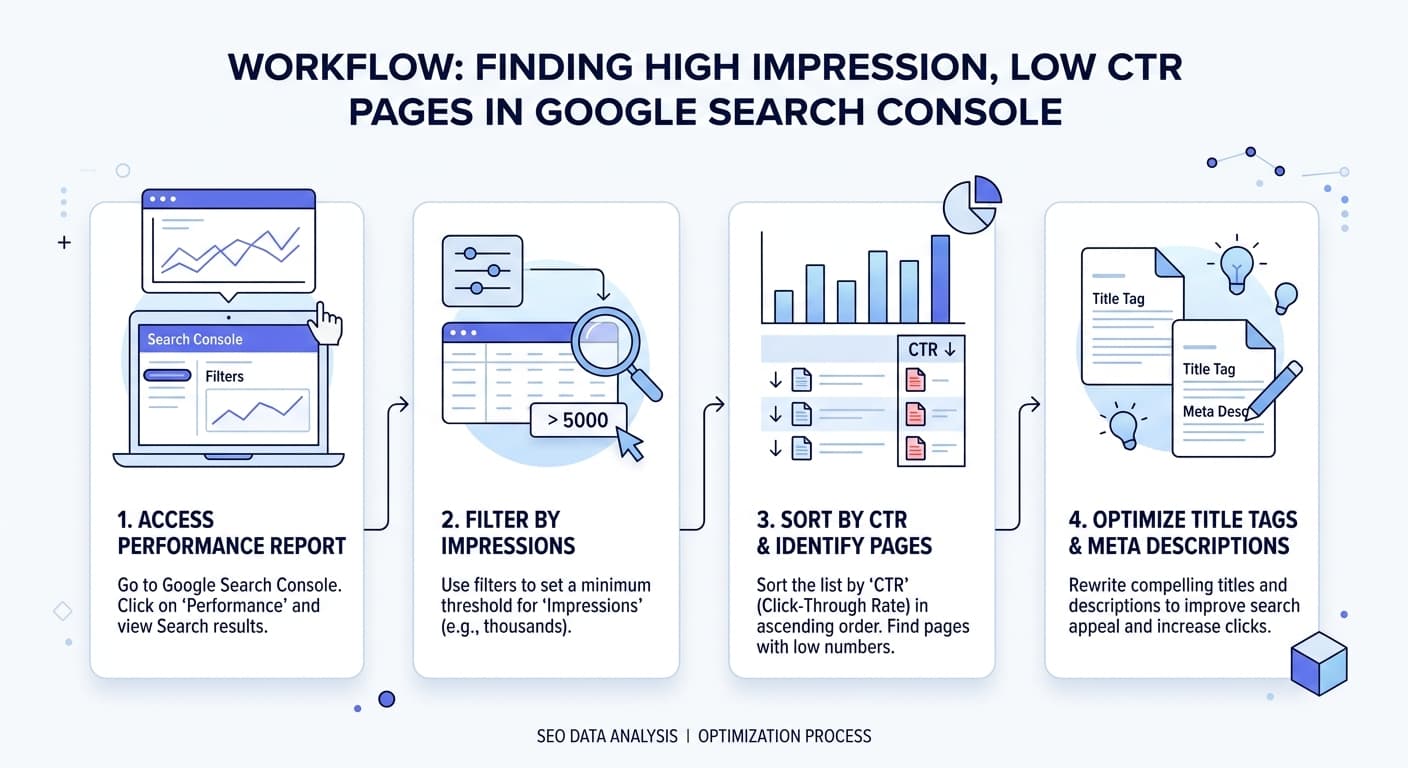
Open GSC → Performance → Search Results
Enable all four metrics: Total clicks, total impressions, average CTR, average position
Sort by Impressions (descending) to surface your most-seen pages
Filter for pages with 500+ impressions — these have enough data to act on
Look for pages where CTR falls below your site average (typically below 3–5% for informational content)
Look at the CTR column for pages with 500+ impressions. Pages with CTR below your site average — often below 3–5% for informational content — are candidates for title and meta description improvement. Click through to any flagged page. Switch to the Queries tab to see which specific queries are generating impressions. This tells you what users are searching for when they see this page — and whether your title tag matches that intent. Rewrite the title tag to more specifically match the top queries and to be more click-worthy relative to competing results.
The Position 5–15 Sweet Spot
Pages in positions 5–15 with high impression volume are the best candidates. They are already visible — small CTR improvements produce measurable traffic gains without requiring any ranking improvement.
A page in position 5 averaging 1.1% CTR on a query where the positional average sits at 4.8% has a measurable, fixable gap. That gap is not a ranking failure. It is a click failure, and those two problems require completely different solutions.
Benchmark CTR by position (2026 data):
Position 1: ~28–31% CTR
Position 3: ~10–12%
Position 5: ~6–7%
Positions 6–10: ~1–4%
Step 2: Rewrite Title Tags for Click Intent
Your title tag is the only variable you fully control on a SERP. If it is not winning clicks, no ranking will save it.
A title needs to do more than include keywords — it needs to make people want to click. Use action verbs, create curiosity, or promise value.
Here are the most reliable title-tag tactics backed by 2026 data:
Match the Exact Search Query
Look at the queries driving impressions to each page. Your title tag should directly address the primary search intent using language the searcher would use. Be specific rather than clever. "How to Fix a Leaky Faucet in 15 Minutes" outperforms "Plumbing Tips and Tricks" every time.
Add a Year or Freshness Signal
For queries where freshness matters (best tools, trends, statistics), adding the current year to your title tag signals that your content is up to date. "(2026 Data)" or "(Updated March 2026)" in your title can meaningfully improve CTR when competing listings show older dates.
Use Questions in Your Titles
Titles with questions generate around 14% higher CTR; titles between 15–40 characters perform 8.6% better.
Watch Out for Overused "Power Words"
Emotional titles boost CTR by 7%, while "power words" like "ultimate" or "best" decrease CTR by 14%. These phrases have been overused to the point of signal fatigue — searchers have learned to tune them out.
Proven Title Formulas That Work
The How-To Formula — [Keyword]: How to [Achieve Outcome] [Modifier] — works because "how to" is one of the most searched phrase patterns in Google. Users searching for procedural guidance are pre-qualified as high-intent, and the formula signals exactly the type of content they will find. The modifier (year, specific benefit, audience qualifier) differentiates from competing How-To results in the same SERP.
You can use the AI Title Tag Generator from QuickSEO's free tools suite to test and iterate on title ideas faster, and use the SERP Preview tool to see exactly how your title and description will render in Google before publishing.
Step 3: Treat Meta Descriptions Like Ad Copy
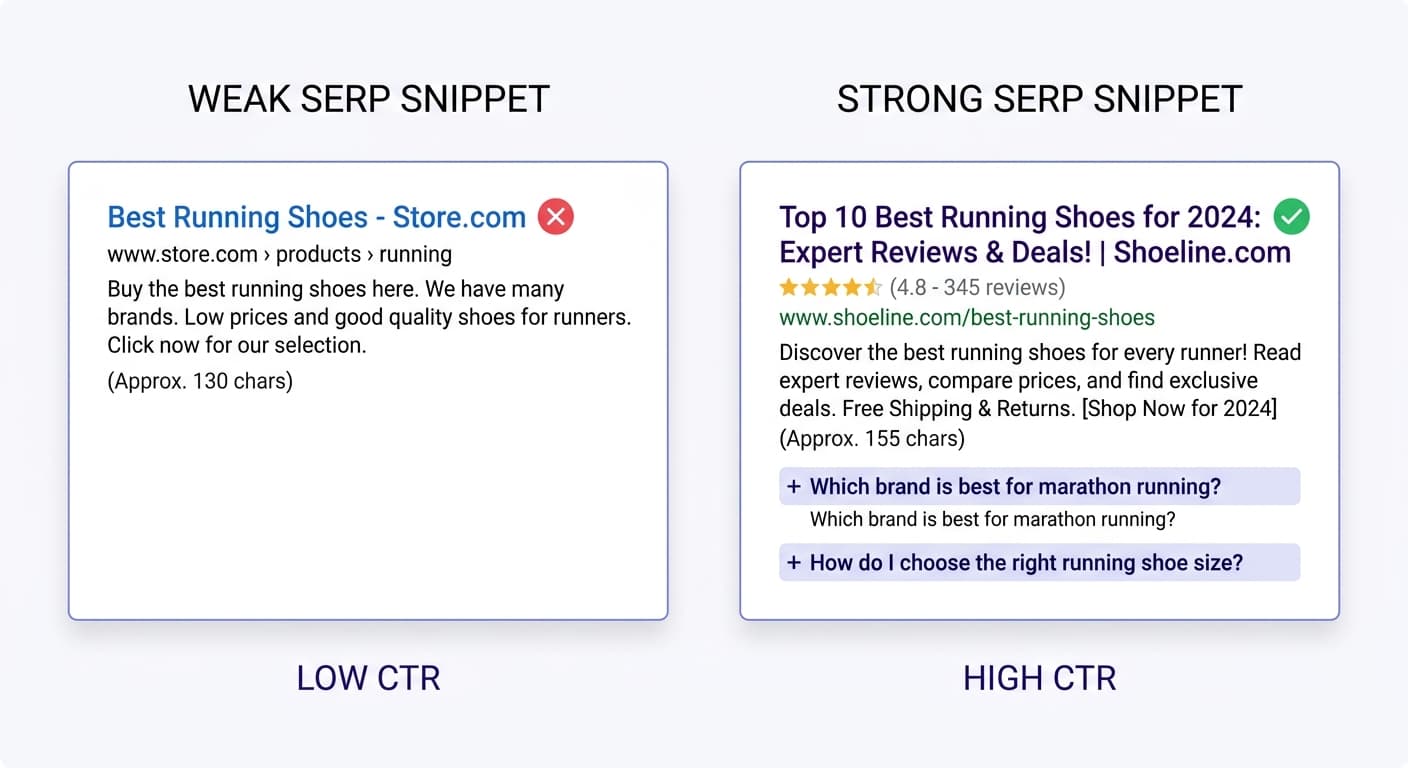
The title tag (the blue link) and the meta description are a powerful pair. The title tag should be keyword-rich and summarize the topic, while the meta description is the persuasive sales pitch that expands on the title and includes a CTA.
The strongest approach in 2026 is to stop thinking of meta descriptions as "summaries only" and start thinking of them as "intent-matched click copy."
Meta description best practices:
Length: A safe target range is 120 to 160 characters, with mobile usually truncating earlier.
Don't leave it blank: Auto-selected copy tends to be descriptive, not persuasive. It may pull a sentence fragment, a navigation phrase, or text that technically matches the query but does not sell the click. A hand-written description gives you a stronger opening angle, better benefit framing, and a cleaner call to action.
Include a CTA: Phrases like "See the full breakdown," "Get the free template," or "Learn how in 5 steps" create urgency without being misleading.
Match intent, not just keywords: Check if organic visitors from specific pages are bouncing quickly. High bounce rate often indicates a mismatch between your meta description promise and page content.
Google has stated that the meta description tag is not used as a direct ranking signal. However, the performance metrics it influences — specifically CTR — are strong indicators of quality and relevance, which do affect rankings. If your description leads to a higher percentage of searchers clicking your link, Google interprets this as a positive user experience.
Use QuickSEO's free AI Meta Description Generator to generate intent-matched descriptions at scale for your highest-impression pages.
Step 4: Unlock SERP Features for Visual CTR Lift
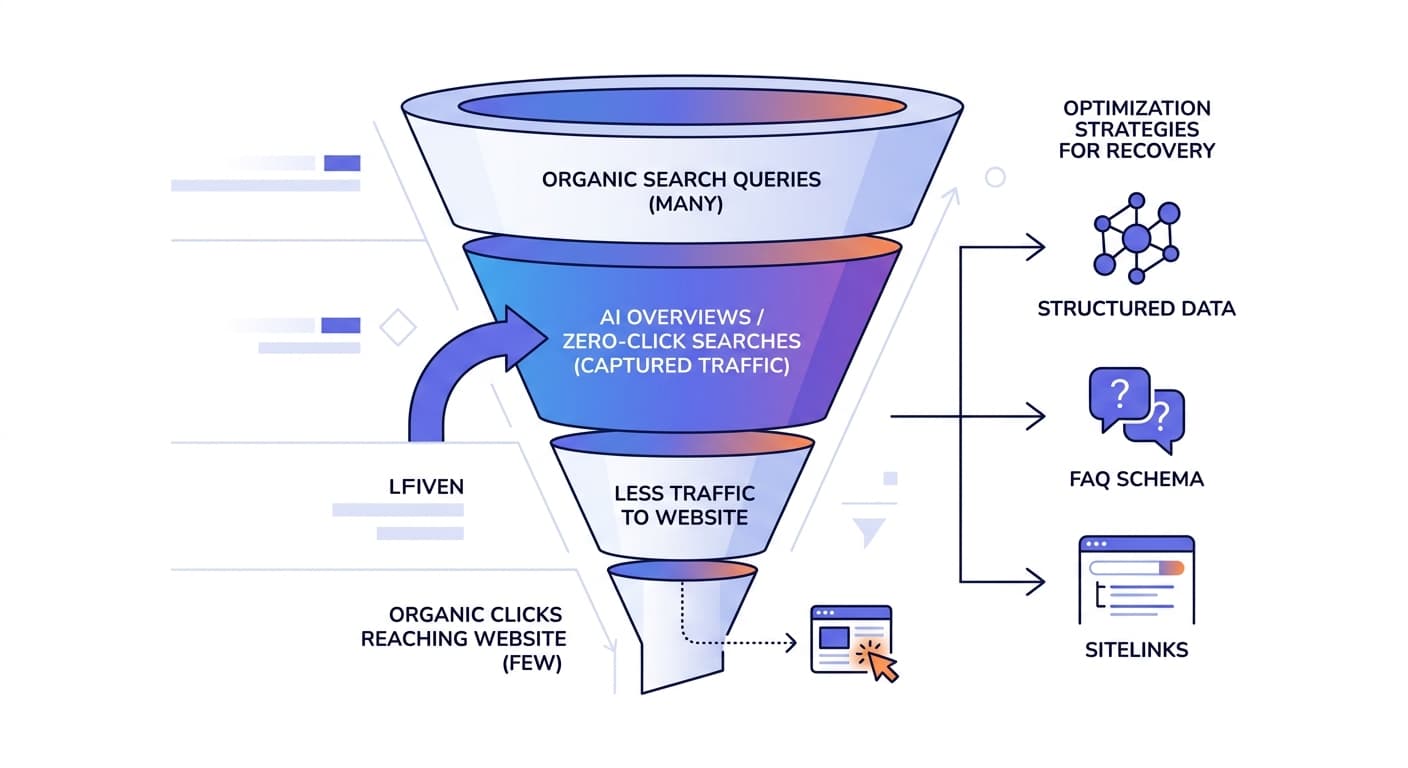
Beyond the title and description, there are structural upgrades that visually expand your SERP listing — dramatically increasing CTR without any ranking change.
Sitelinks: The Highest-ROI SERP Feature
Sitelinks are the highest-ROI SERP feature to optimise for in 2026. They raise position 1 CTR by 49% — meaning a site with sitelinks gets 1.49x the clicks of a site without sitelinks at the same rank.
They are earned, not bought, but Google's algorithmic threshold for showing sitelinks is meaningfully easier in 2026 than it was in 2018: a clear site structure, anchor-text-consistent internal linking, and breadcrumb schema typically suffice.
Rich Snippets via Structured Data
Rich results can significantly increase your CTR without needing to improve your position in Google. It's an easy win that many sites don't take advantage of.
Schema markup can give your search listings extra visual elements that increase CTR: FAQ schema adds expandable questions below your listing.
Structured data types that boost CTR:
FAQ schema — expands your listing with Q&A pairs
HowTo schema — shows numbered steps directly in the SERP
Review/Rating schema — adds star ratings to product and service pages
Article schema — signals freshness and authorship
Use the free AI Schema Markup Generator to build the right schema for any page type.
Featured Snippets
A featured snippet held at position 1 captures 38.4% of clicks. To target featured snippets: structure your content with clear H2/H3 subheadings, include direct answers in the first 1–2 sentences of each section, and use definition, list, or table formats for query types that lend themselves to snippet extraction.
Step 5: Segment CTR Data to Find True Leaks
Most CTR analysis stops at the page level — but the real insights are at the query level.
The teams navigating CTR optimization most effectively measure CTR at the query level rather than the page level. They segment CTR data by SERP feature presence to separate structural suppression from fixable snippet problems.
Key segmentation filters in GSC:
Segment | What to Look For |
|---|---|
By query | Find specific search terms underperforming vs. their position benchmark |
By device | Mobile CTR often differs significantly from desktop — titles truncate differently |
By date comparison | Spot CTR drops after Google rewrites your title or after AI Overview rollouts |
Branded vs. non-branded | Informational queries lose the most click-through to AI Overviews (-55–61%). Navigational/branded queries lose the least (-8–13%). Commercial queries sit in the middle (-36–44%). |
Understanding these patterns lets you prioritize which CTR problems to fix first — and which ones are structural (caused by SERP layout, not your snippet).
Step 6: Avoid Keyword Cannibalization
Low CTR isn't always a snippet problem. Sometimes multiple pages compete for the same query, splitting impressions and diluting click signals.
Filter the Performance report by a target keyword and switch to the Pages tab. If multiple URLs are competing for the same query, you likely have a keyword cannibalization problem — a situation that dilutes your ranking power. Understanding how to diagnose and fix keyword cannibalization starts with this GSC filter as your first detection step.
You can also use the Keyword Cannibalization Checker to quickly surface pages that are competing against each other on the same terms.
Step 7: Measure, Iterate, and Don't Stop at CTR
The best SEO teams run a consistent monthly audit cycle rather than reacting to traffic drops. And they've connected their click data to conversion outcomes, so CTR optimization is evaluated against business impact rather than just traffic lift.
How to measure CTR changes correctly:
In Google Search Console, filter the Performance report to a specific URL, then set the date range comparison to before/after your optimization. Sort by impressions to find the primary queries. Compare CTR in each 28-day window and control for position changes.
A/B test systematically: change one element at a time (title OR description, not both). Wait 2–4 weeks to gather sufficient data. Document your changes and results to learn what works for your audience.
Warning: A title that attracts more clicks but attracts the wrong intent profile will show CTR improvement alongside rising bounce rates and falling conversion rates. Always tie CTR wins back to engagement metrics.
Conduct quarterly audits: review your title tags and meta descriptions at least once per quarter, especially for high-traffic pages. Search trends change, your content evolves, and your meta data should keep pace.
The CTR Optimization Priority Matrix
Not all low-CTR pages deserve equal attention. Use this matrix to triage:
Priority | Criteria | Action |
|---|---|---|
🔴 High | High impressions + CTR well below position benchmark | Rewrite title and meta description immediately |
🟡 Medium | Medium impressions + CTR slightly below average | Add schema, improve meta description CTA |
🟢 Low | High impressions + CTR near or above average | Monitor; test featured snippet optimization |
⚫ Skip | Low impressions + low CTR | Fix rankings first before optimizing snippets |
As high impressions with low clicks point to the snippet. Acceptable CTR with inadequate volume closes the case at Average Position: positions 6–10 collectively earn 1–4% CTR regardless of title quality, and no amount of meta-description optimization overcomes a page-2 position.
Quick Wins Checklist
Here's a summary of the highest-impact CTR actions you can take this week:
Pull your top 50 pages by impressions in GSC Performance report
Flag every page with CTR below 3% — these are your priority targets
Check the Queries tab for each flagged page to reveal intent mismatches
Rewrite title tags to match the top 1–2 query intents; test question-based titles
Write or rewrite meta descriptions as intent-matched click copy with a CTA
Add FAQ or HowTo schema to pages with how-to or question-based queries
Check for keyword cannibalization on your lowest-CTR pages
Run a date comparison (28 days before vs. 28 days after) to measure impact
QuickSEO is a free Google Search Console dashboard for all your websites. Connect Search Console, pick the properties you want, and see clicks, impressions, CTR and average position for every site on one screen, each compared with the previous period, with the keywords and pages behind the numbers. Connect Search Console for free →
Conclusion
GSC CTR optimization is one of the highest-leverage SEO activities available to you in 2026 — because it produces traffic gains from rankings you already have. You don't need more backlinks or higher positions; you need better snippets.
The framework is clear: find your high-impression, low-CTR pages using the GSC Performance report, diagnose whether the problem is a title mismatch, a weak meta description, or a missing rich snippet, and fix it systematically. Even a 1 to 2 percentage point CTR improvement on a high-impression keyword can meaningfully increase organic traffic without any ranking change.
Build this into a monthly rhythm, measure at the query level, and you'll consistently extract more traffic from the search visibility you've already earned. That compounding effect — more clicks from the same impressions — is the hidden growth lever most sites never fully use.
QuickSEO shows clicks, impressions, keywords and pages for every website you manage, compared with the period before.
- Unlimited websites on the free plan
- No credit card needed
Try it yourself
Related free tools
Free SEO tools related to the topics covered in this article.
Keep reading
Related posts
More articles on the same topics, prioritized by shared tags and keyword overlap.